

Your graphics add a nice touch to my presentations and I recently used them for one of my all-hands meetings. Your toolbox adds professionalism to my slides. Instead of using standard clipart.
Claude Jones, Director of Engineer, @Walmartlabs, USA

Your graphics add a nice touch to my presentations and I recently used them for one of my all-hands meetings. Your toolbox adds professionalism to my slides. Instead of using standard clipart.
Claude Jones, Director of Engineer, @Walmartlabs, USA
I needed a fresh look at some of my slides. I've tried to find a way to create a paintbrush effect, to underline, accentuate, add some color and the handwritten markers were just the things. Very easy to use, easy to size, change the color. It was an affordable, perfect solution and I'm happy to recommend it.
Anonymous, US
The crisp, clean look of the graphics, and the fact that it allowed me to easily edit and change the colors to match the template was my main reason for purchasing them.
Brandie Jenkins, E-learning Developer, USA
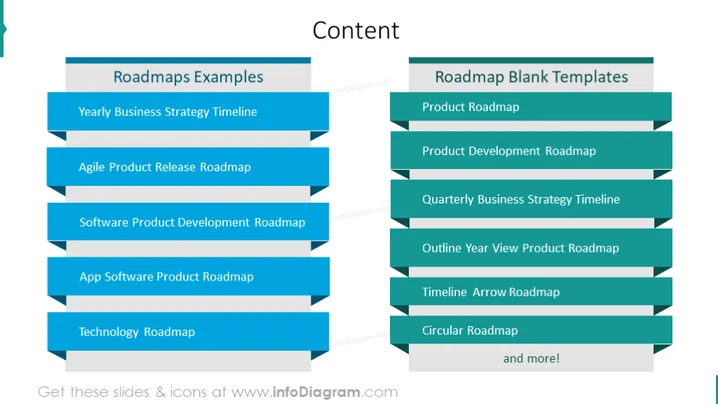
This PowerPoint slide provides an overview of different types of roadmaps used in strategic planning and product development. The left column, titled "Roadmaps Examples", includes "Yearly Business Strategy Timeline," which delineates a high-level annual strategic plan. "Agile Product Release Roadmap" outlines the iterative, flexible schedule of product features. "Software Product Development Roadmap" maps the process from concept to market delivery. "App Software Product Roadmap" focuses on the pathway for mobile or desktop applications, and "Technology Roadmap" charts the evolution and integration of new technologies.
The overall design is clean and modern, with a color scheme that implies trust and professionalism. The staggered alignment of the rectangles adds interest and guides the viewer’s eye down the list in a logical manner.



