
Reviews
Your slides are my 'secret sauce' when it comes to visualising my ideas to clients. I'm saving so much time.
InfoDiagram has been a wonderful resource since I found the product site a few years ago.
Your slides often generate good comments and ideas from my team that improve the final slides.
Description
Outline Icons for Roadmap Tables (extendable)
Slide Content
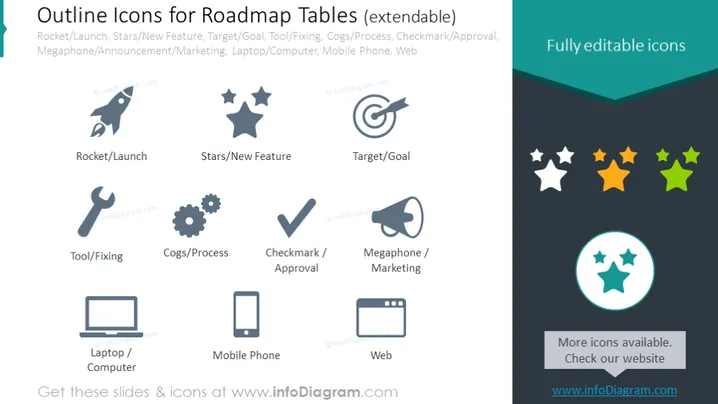
This slide presents a collection of vector icons designed for use in roadmap tables. Each icon symbolizes different components crucial for business and product roadmaps. The "Rocket/Launch" represents the start or launch of a new initiative. "Stars/New Feature" symbolizes the introduction or highlighting of new features. "Target/Goal" indicates the objectives or goals set by a project. "Tool/Fixing" conveys tools or repair actions necessary during a project. "Cogs/Process" refers to the workflows or processes in a project. "Checkmark/Approval" is synonymous with completion or approval within a roadmap. "Megaphone/Marketing" denotes announcements or marketing activities. "Laptop/Computer" signifies the technology or software tools used. "Mobile Phone" represents mobile technology or applications. Lastly, "Web" indicates web-related activities or components.
Graphical Look
- The slide features a dark background with a lighter section at the top dedicated to the title.
- A subset of icons is arranged in two rows of five, each with an accompanying label describing its function.
- The icons are designed as line art and are monochromatic, matching the theme of the slide.
- To the right, there's a prominently colored section labeled "Fully editable icons" with representative multicolored star icons indicating editability.
- A circular highlight with three stars within signifies that more icons are available and to check the website for them, drawing attention to additional resources.
- Icons represent common business and product development concepts in a stylized and simplified manner for easy recognition and aesthetic uniformity.
The slide has a professional, clean look with a mixture of greyscale vector icons and limited use of color for emphasis. The layout is balanced and designed for clarity, with easy-to-understand symbols for quick communication of ideas in a business context.
Use Cases
- To visually enhance roadmap presentations by using icons to represent different stages or elements of a project.
- In strategy meetings to communicate key activities and milestones in the project timeline.
- Within marketing materials to illustrate the rollout of new features or campaigns.
- For making internal company updates or reports more visually engaging and easier to interpret.
How to Edit
How to edit text & colors

How to expand / shorten diagram

How to Replace Icons in infoDiagram PPT


