
Reviews
Your graphics add a nice touch to my presentations and I recently used them for one of my all-hands meetings. Your toolbox adds professionalism to my slides. Instead of using standard clipart.
I needed a fresh look at some of my slides. I've tried to find a way to create a paintbrush effect, to underline, accentuate, add some color and the handwritten markers were just the things. Very easy to use, easy to size, change the color. It was an affordable, perfect solution and I'm happy to recommend it.
The crisp, clean look of the graphics, and the fact that it allowed me to easily edit and change the colors to match the template was my main reason for purchasing them.
Description
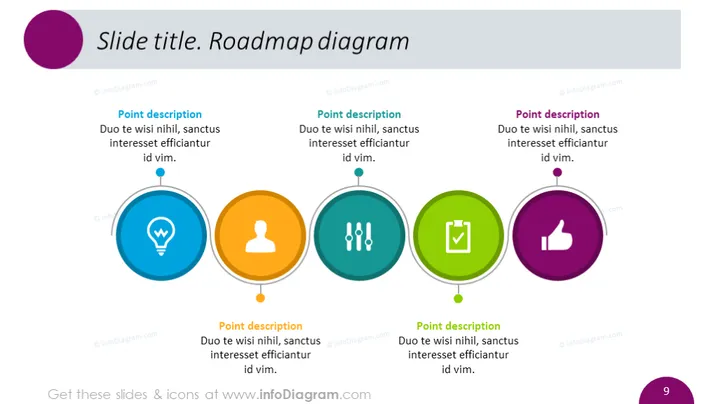
Slide title. Roadmap diagram
Slide Content
The slide is titled "Roadmap diagram" and presents a horizontal sequence of four colorful circular icons with accompanying text boxes for descriptions. Each circular icon is connected by a line, implying a progression or sequence of steps. Each icon is unique, representing different concepts or stages in a process. The descriptions provide an opportunity to explain the relevance of each icon/step to the roadmap being presented.
Graphical Look
- A purple circle with a partial border at the top left corner designates the slide title area.
- Four large circular icons are spaced evenly across the middle of the slide, each with different colors: blue, orange, teal, and green.
- Each icon contains a white graphic symbol: a light bulb, a user silhouette, a tree, and a thumbs-up respectively.
- Below each icon, a stylized line leads to a text box for the point description, filled with placeholder text.
- The background of the slide is white, providing high contrast for the colorful icons and text.
- A subtle shadow effect appears under the circular icons, giving them a slight three-dimensional appearance.
The overall look of the slide is modern and professional, with a clean design that emphasizes readability and a clear conveyance of progression through the use of color-coded icons.
Use Cases
- To present the stages of a project timeline or development process in a business presentation.
- To outline sequential steps in a strategic plan or roadmap during an executive briefing or team meeting.
- To visually break down the phases of product development or market entry in a marketing or sales pitch.
- To use in educational or training materials to describe a progression of concepts or skills.
How to Edit
How to edit text & colors

How to expand / shorten diagram

How to Replace Icons in infoDiagram PPT


