Reviews
Ihre Grafiken verleihen meinen Präsentationen eine nette Note, und ich habe sie kürzlich für eines meiner All-Hands-Meetings verwendet. Ihre Toolbox verleiht meinen Folien Professionalität, anstatt Standard-Clipart zu verwenden.
Ich brauchte einen neuen Blick auf einige meiner Folien. Ich habe versucht, einen Weg zu finden, einen Pinselschlag-Effekt zu erzielen, um zu unterstreichen, hervorzuheben, Farbe hinzuzufügen, und die handgeschriebenen Markierungen waren genau das Richtige. Sehr einfach zu bedienen, leicht in der Größe zu ändern, die Farbe zu ändern. Es war eine erschwingliche, perfekte Lösung und ich empfehle sie gerne weiter.
Die klare, saubere Optik der Grafiken und die Tatsache, dass ich die Farben leicht bearbeiten und an die Vorlage anpassen konnte, war mein Hauptgrund für den Kauf.
Description
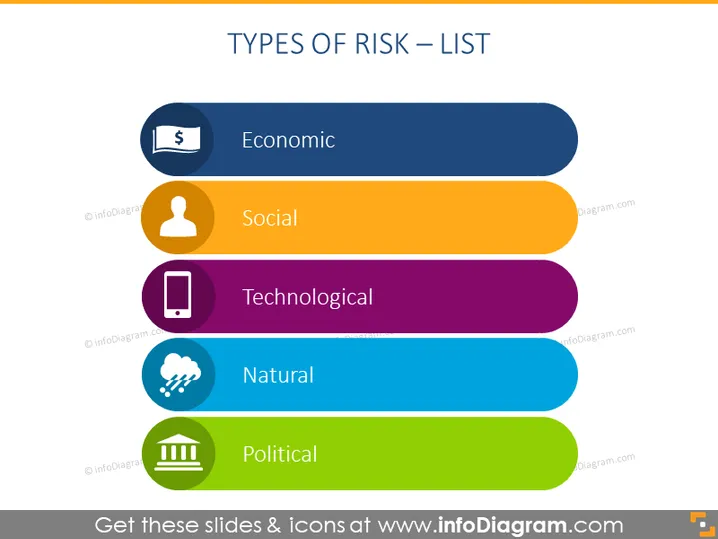
TYPES OF RISK – LIST
Slide Content
The slide lists various categories of risks that can impact an organization or project, each explained with a brief descriptor:
- Economic: Involves financial loss or gain.
- Social: Pertains to societal changes that could affect an organization.
- Technological: Deals with risks arising from technological changes and innovation.
- Natural: Refers to uncontrollable events such as natural disasters.
- Political: Represents risks associated with changes in government policies or instability.
Graphical Look
- The slide has a gradient dark blue to light blue background.
- A bold, white-colored title "TYPES OF RISK – LIST" at the top of the slide.
- Five horizontal, rounded rectangles of varying colors (blue, orange, purple, blue, and green) represent different risk categories.
- Inside each rectangle, on the left, there are circle-shaped icons corresponding to each risk category: a dollar sign for Economic, a person silhouette for Social, a mobile phone for Technological, a cloud with rain for Natural, and a building column for Political.
- The text for each risk category is aligned to the left, adjacent to its icon.
- The colors of the rectangles and icons are vibrant and contrast well against the slide background.
The slide's visual composition is clean and straightforward, using icons and colors effectively to distinguish between different types of risks. It looks professional and would be easy for an audience to follow and understand.

Use Cases
- Presenting an overview of risk management in business meetings.
- Educating employees or stakeholders about potential risks in project management seminars.
- Using in workshops to analyze and prepare for different risk categories.
- Incorporating into a strategic planning presentation to discuss potential external threats to a business or organization.
How to Edit
How to edit text & colors

How to expand / shorten diagram

How to Replace Icons in infoDiagram PPT


