
Your graphics add a nice touch to my presentations and I recently used them for one of my all-hands meetings. Your toolbox adds professionalism to my slides. Instead of using standard clipart.
Claude Jones, Director of Engineer, @Walmartlabs, USA
Your graphics add a nice touch to my presentations and I recently used them for one of my all-hands meetings. Your toolbox adds professionalism to my slides. Instead of using standard clipart.
Claude Jones, Director of Engineer, @Walmartlabs, USA
I needed a fresh look at some of my slides. I've tried to find a way to create a paintbrush effect, to underline, accentuate, add some color and the handwritten markers were just the things. Very easy to use, easy to size, change the color. It was an affordable, perfect solution and I'm happy to recommend it.
Anonymous, US
The crisp, clean look of the graphics, and the fact that it allowed me to easily edit and change the colors to match the template was my main reason for purchasing them.
Brandie Jenkins, E-learning Developer, USA
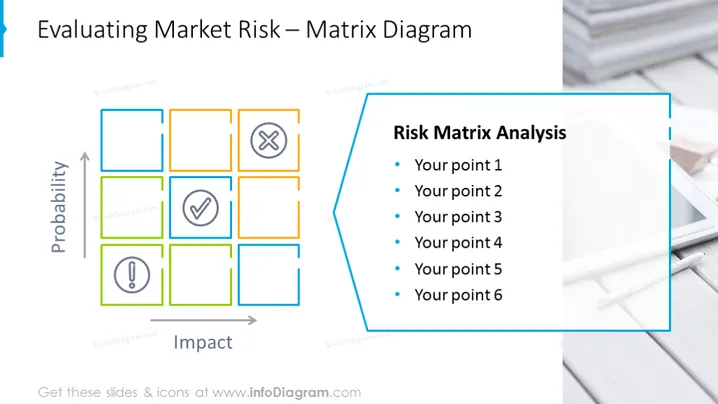
The PowerPoint slide is focused on "Evaluating Market Risk" using a Matrix Diagram. This risk assessment tool categorizes potential risks based on probability and impact, which are represented on the Y and X axes, respectively. The matrix consists of numerous squares, some of which include icons like a checkmark indicating acceptable risks and an exclamation point signifying potential warning signs. The right side of the slide is titled "Risk Matrix Analysis" and provides a bulleted list, allowing the presenter to detail six points that can relate to the analysis, such as specific risk evaluations or mitigation strategies.
The overall look of the slide is professional and organized, employing a color-coded matrix and icons to visually represent information in an accessible manner. The separate content box with bulleted text provides space to expand upon key points of the matrix analysis.




