
Reviews
Ihre Grafiken verleihen meinen Präsentationen eine nette Note, und ich habe sie kürzlich für eines meiner All-Hands-Meetings verwendet. Ihre Toolbox verleiht meinen Folien Professionalität, anstatt Standard-Clipart zu verwenden.
Ich brauchte einen neuen Blick auf einige meiner Folien. Ich habe versucht, einen Weg zu finden, einen Pinselschlag-Effekt zu erzielen, um zu unterstreichen, hervorzuheben, Farbe hinzuzufügen, und die handgeschriebenen Markierungen waren genau das Richtige. Sehr einfach zu bedienen, leicht in der Größe zu ändern, die Farbe zu ändern. Es war eine erschwingliche, perfekte Lösung und ich empfehle sie gerne weiter.
Die klare, saubere Optik der Grafiken und die Tatsache, dass ich die Farben leicht bearbeiten und an die Vorlage anpassen konnte, war mein Hauptgrund für den Kauf.
Description
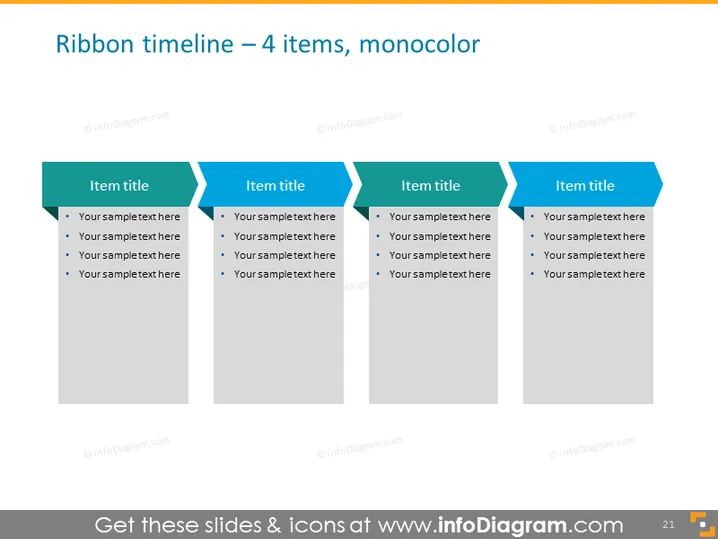
Ribbon timeline – 4 items, monocolor
Slide Content
This slide represents a sequence of events or steps laid out in a ribbon timeline format with four key items. Each item has a title placeholder and a series of bullet points for detailed information, indicating various phases or milestones in a process. This setup is ideal for showcasing progress, workflow, or historical timelines in a linear and easy-to-follow manner, with additional text providing specifics about each step.
Graphical Look
- Title text: "Ribbon timeline – 4 items, monocolor" is centered at the top of the slide in large font.
- Four vertical ribbon-like shapes, each with a unique item title and body text placeholder for bullet points.
- The ribbons are visually connected, suggesting a flow from left to right across the timeline.
- Each ribbon shape has a pointed, double-ended arrow-style header, colored in a shade of blue.
- The space for item titles is integrated into the header of each ribbon, with a contrasting white text against the blue background.
- The body of each ribbon is a lighter gray, setting the stage for bullet points which are currently placeholder text.
- The overall style of the slide is clean, with a professional and polished aesthetic with a flat design — no shadows or 3D effects.
The slide has a minimalistic and contemporary feel, thanks to its flat design and monochromatic color scheme. The use of blue highlights the timeline concept, making it clear and visually appealing.
Use Cases
- To display project milestones in a business presentation, outlining key dates and deliverables.
- To illustrate the stages of product development or launch plans in a marketing or product team meeting.
- For historical timelines in educational or corporate training sessions, showing the evolution of a company or industry.
- To visually summarize the agenda or flow of an event during public speaking engagements or workshops.
How to Edit
How to edit text & colors

How to expand / shorten diagram

How to Replace Icons in infoDiagram PPT


