
Reviews
Ihre Grafiken verleihen meinen Präsentationen eine nette Note, und ich habe sie kürzlich für eines meiner All-Hands-Meetings verwendet. Ihre Toolbox verleiht meinen Folien Professionalität, anstatt Standard-Clipart zu verwenden.
Ich brauchte einen neuen Blick auf einige meiner Folien. Ich habe versucht, einen Weg zu finden, einen Pinselschlag-Effekt zu erzielen, um zu unterstreichen, hervorzuheben, Farbe hinzuzufügen, und die handgeschriebenen Markierungen waren genau das Richtige. Sehr einfach zu bedienen, leicht in der Größe zu ändern, die Farbe zu ändern. Es war eine erschwingliche, perfekte Lösung und ich empfehle sie gerne weiter.
Die klare, saubere Optik der Grafiken und die Tatsache, dass ich die Farben leicht bearbeiten und an die Vorlage anpassen konnte, war mein Hauptgrund für den Kauf.
Description
Simple One-sided Bookmarks
Slide Content
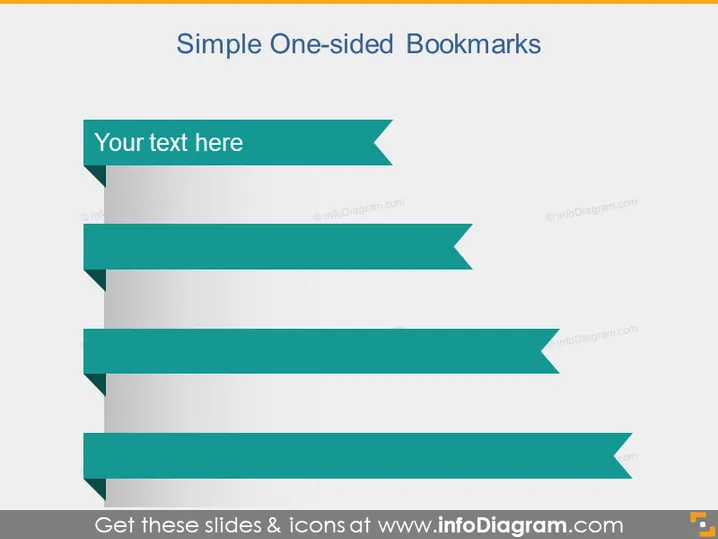
The slide is titled "Simple One-sided Bookmarks," suggesting a focus on a way to represent key points or topics in a visually distinctive manner. The slide displays a sequence of banner-like shapes, which appear to be placeholders for text. These banners could represent different categories, steps, or important pieces of information that can be easily referenced, akin to how one would use a bookmark to quickly find an important section in a book.
Graphical Look
- The background of the slide is plain white, providing a neutral canvas for the content.
- Five teal ribbon banners with a folded "bookmark" look are evenly spaced vertically down the slide.
- Each banner has a slight drop shadow, adding depth and making the banners stand out against the white background.
- The banners are aligned to the left side and stagger in size, with the smallest at the top and the largest at the bottom.
- Placeholder text, "Your text here," is written on the topmost banner in white lettering against the teal background.
The slide has a clean and modern aesthetic with a clear hierarchy of information indicated by the descending size of the banners. The use of drop shadows and staggered sizes creates a visual flow that guides the viewer's eyes down the slide, making it effective for presenting information in an ordered manner.
Use Cases
- To outline key points in a business strategy, with each banner representing a distinct strategic element.
- During training sessions, to highlight core topics that will be covered in more detail.
- In a marketing presentation, to showcase the unique selling propositions of a product or service.
- As an agenda slide in a meeting or conference, listing the main topics or speakers in sequence.
How to Edit
How to edit text & colors

How to expand / shorten diagram

How to Replace Icons in infoDiagram PPT


