
Reviews
Your slides are my 'secret sauce' when it comes to visualising my ideas to clients. I'm saving so much time.
InfoDiagram has been a wonderful resource since I found the product site a few years ago.
Your slides often generate good comments and ideas from my team that improve the final slides.
Description
Revenue Budget
Slide Content
The PowerPoint slide presents the topic of "Revenue Budget," which typically involves planning and estimating the amount of money that a business expects to receive over a certain period. It is a crucial component for financial planning and helps guide business decisions related to sales, pricing, and business growth strategies.
Graphical Look
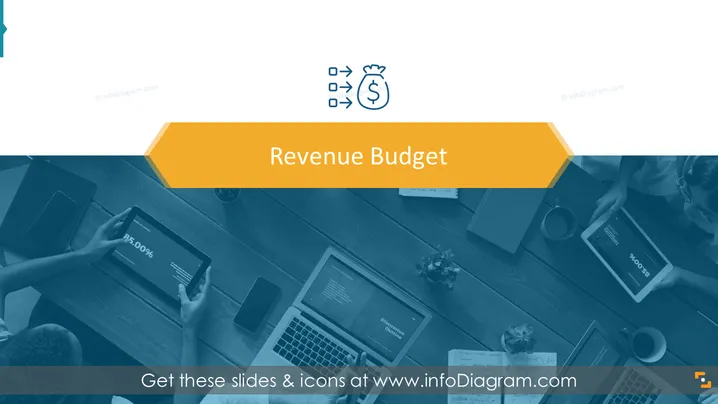
- The slide has a minimalist design with a large portion occupied by a background image.
- A prominent, bold title "Revenue Budget" is centered in an opaque, orange rectangle towards the upper half.
- The background image exhibits a blue monochrome filter effect, depicting a top-down view of a business meeting with individuals using digital devices.
- Three stylized icons are aligned horizontally above the title, representing different financial actions connected to budgeting, such as checklist verification, direction, and income.
- The color scheme consists of blue, orange, and white, creating a professional and clean appearance.
- The title and icons feature a subtle shadow effect for added depth.
The overall look of the slide is professional and focused, with a clear emphasis on the title. The use of a real-life background image adds a practical context to the abstract concept of budgeting.
Use Cases
- To introduce the topic of revenue budgeting during a financial planning or business strategy meeting.
- For presenting an overview of revenue forecasts in an earnings report or investor presentation.
- During budget workshops to explain different aspects and considerations of revenue budgeting.
- As an introductory slide in educational settings where financial management or accounting concepts are taught.
How to Edit
How to edit text & colors

How to expand / shorten diagram

How to Replace Icons in infoDiagram PPT


