

Your graphics add a nice touch to my presentations and I recently used them for one of my all-hands meetings. Your toolbox adds professionalism to my slides. Instead of using standard clipart.
Claude Jones, Director of Engineer, @Walmartlabs, USA

Your graphics add a nice touch to my presentations and I recently used them for one of my all-hands meetings. Your toolbox adds professionalism to my slides. Instead of using standard clipart.
Claude Jones, Director of Engineer, @Walmartlabs, USA
I needed a fresh look at some of my slides. I've tried to find a way to create a paintbrush effect, to underline, accentuate, add some color and the handwritten markers were just the things. Very easy to use, easy to size, change the color. It was an affordable, perfect solution and I'm happy to recommend it.
Anonymous, US
The crisp, clean look of the graphics, and the fact that it allowed me to easily edit and change the colors to match the template was my main reason for purchasing them.
Brandie Jenkins, E-learning Developer, USA
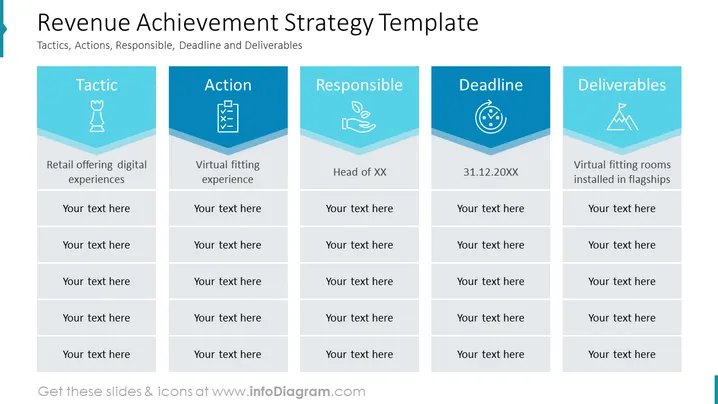
The slide displays a structured approach to outlining a revenue achievement strategy involving tactics, actions, responsible parties, deadlines, and deliverables. Each category is exemplified by one item; "Tactic" discusses offering digital experiences in retail, "Action" refers to implementing a virtual fitting experience, "Responsible" identifies a head of a department (abbreviated as "XX"), "Deadline" sets a specific date (31.12.20XX), and "Deliverables" describes the outcome as installing virtual fitting rooms in flagship locations. This structure promotes a clear and accountable strategy for achieving revenue goals by detailing critical elements and their descriptions.
The overall look of the slide is modern and organized, using a consistent color scheme to differentiate categories while maintaining a unified design. The use of icons adds an intuitive element to quickly grasp the theme of each category.



