
Reviews
Sus gráficos añaden un toque agradable a mis presentaciones y recientemente los usé para una de mis reuniones generales. Su conjunto de herramientas añade profesionalismo a mis diapositivas. En lugar de usar imágenes prediseñadas estándar.
Necesitaba un aspecto fresco para algunas de mis diapositivas. Había intentado encontrar una forma de crear un efecto de pincel, de subrayar, acentuar, añadir algo de color y los marcadores escritos a mano fueron justo lo que necesitaba. Muy fácil de usar, fácil de ajustar el tamaño, cambiar el color. Fue una solución asequible y perfecta, y estoy feliz de recomendarla.
El aspecto nítido y limpio de los gráficos, y el hecho de que me permitiera editar y cambiar fácilmente los colores para que coincidieran con la plantilla fue mi principal razón para comprarlos.
Description
Usage example
Slide Content
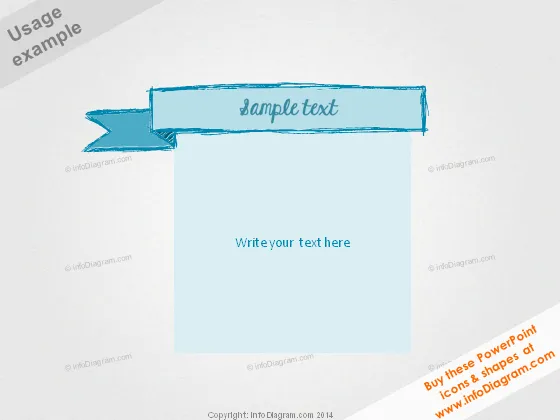
This slide appears to be a simple placeholder for custom content. It features a prominently displayed title area with the phrase "Sample text," suggesting that the user can replace this with their own heading. The larger area below, labeled "Write your text here," is evidently designed for the body of the slide's content. Each section implies ease of customization for the intended message or data presentation.
Graphical Look
- A large turquoise ribbon banner with a folded effect contains the words "Sample text" in a handwritten style font.
- Below the ribbon, there is a sizable, light blue rectangle serving as the primary content area.
- The text "Write your text here" is positioned in the center of the rectangle in a plain, sans-serif font, indicating where to insert custom text.
- All graphical elements have a sketched, informal appearance with visible lines suggesting an artistic or creative design ethos.
The overall look of the slide is casual and creative, designed to lend an informal and approachable aesthetic to presentation content. The hand-drawn style graphics suggest flexibility and personalization.
Use Cases
- Introducing a new concept or section in a business meeting where a less formal design is suitable.
- Providing a title slide for a creative workshop or team-building session to set an engaging tone.
- Encapsulating key points or ideas in a brainstorming session where a non-corporate feel is desired.
- Utilizing as a template for educational presentations to make the information appear more accessible and less intimidating.
How to Edit
How to edit text & colors

How to expand / shorten diagram

How to Replace Icons in infoDiagram PPT


