
Reviews
Ihre Grafiken verleihen meinen Präsentationen eine nette Note, und ich habe sie kürzlich für eines meiner All-Hands-Meetings verwendet. Ihre Toolbox verleiht meinen Folien Professionalität, anstatt Standard-Clipart zu verwenden.
Ich brauchte einen neuen Blick auf einige meiner Folien. Ich habe versucht, einen Weg zu finden, einen Pinselschlag-Effekt zu erzielen, um zu unterstreichen, hervorzuheben, Farbe hinzuzufügen, und die handgeschriebenen Markierungen waren genau das Richtige. Sehr einfach zu bedienen, leicht in der Größe zu ändern, die Farbe zu ändern. Es war eine erschwingliche, perfekte Lösung und ich empfehle sie gerne weiter.
Die klare, saubere Optik der Grafiken und die Tatsache, dass ich die Farben leicht bearbeiten und an die Vorlage anpassen konnte, war mein Hauptgrund für den Kauf.
Description
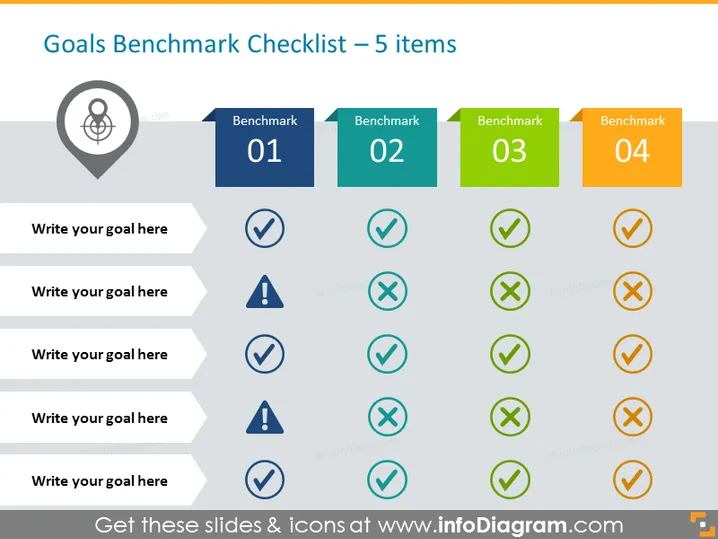
Goals Benchmark Checklist – 5 items
Slide Content
This slide is designed as a checklist to evaluate the progress or completion of goals against four benchmarks. Each benchmark is represented with a color-coded tab—Benchmark 01 (blue), Benchmark 02 (green), Benchmark 03 (light green), and Benchmark 04 (orange). Below each benchmark header, there is a column for checks and crosses, indicating whether goals corresponding to the rows on the left have been met (checkmark) or not (cross), or require attention (exclamation mark).
Graphical Look
- The slide background is white, providing a clean and minimalistic canvas for the content.
- There's a large title at the top of the slide in dark blue lettering.
- A navigation icon is present in a grey circle to the left of the slide’s title, symbolizing goal direction or location.
- Four color-coded tabs labeled "Benchmark 01" through "Benchmark 04" are aligned horizontally at the top right, each in a different color for differentiation.
- Below, there are five rows labeled "Write your goal here," which are placeholders for specific goal descriptions.
- Each goal row has four corresponding columns under the benchmarks, containing either a checkmark, cross, or exclamation mark icon to reflect the status of the goal.
- The icons (checkmark, cross, exclamation mark) are stylistically simplified and come in colors matching their respective column headers.
- The slide employs a grid layout to clearly organize each element.
The overall look of the slide is professional and organized, using icons and color-coding to quickly convey the status of various goals. The design facilitates easy interpretation of progress against set benchmarks.
Use Cases
- Tracking project milestones and deliverables during team meetings or presentations.
- Reporting progress in a visually engaging way during client briefings or stakeholder updates.
- Conducting performance reviews where individual or team goals need to be assessed.
- Strategic planning sessions where mapping out future goal achievement and alignment with benchmarks are discussed.
How to Edit
How to edit text & colors

How to expand / shorten diagram

How to Replace Icons in infoDiagram PPT


