
Reviews
Sus gráficos añaden un toque agradable a mis presentaciones y recientemente los usé para una de mis reuniones generales. Su conjunto de herramientas añade profesionalismo a mis diapositivas. En lugar de usar imágenes prediseñadas estándar.
Necesitaba un aspecto fresco para algunas de mis diapositivas. Había intentado encontrar una forma de crear un efecto de pincel, de subrayar, acentuar, añadir algo de color y los marcadores escritos a mano fueron justo lo que necesitaba. Muy fácil de usar, fácil de ajustar el tamaño, cambiar el color. Fue una solución asequible y perfecta, y estoy feliz de recomendarla.
El aspecto nítido y limpio de los gráficos, y el hecho de que me permitiera editar y cambiar fácilmente los colores para que coincidieran con la plantilla fue mi principal razón para comprarlos.
Description
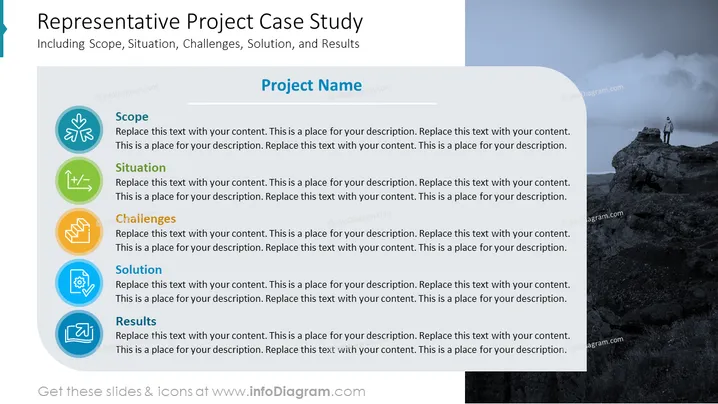
Representative Project Case Study
Including Scope, Situation, Challenges, Solution, and Results
Slide Content
The slide is structured to outline a "Representative Project Case Study" and includes several key areas of interest: Scope, Situation, Challenges, Solution, and Results. Each item is accompanied by an icon and placeholder text for further explanation. The Scope is related to the project's range and extent; the Situation generally refers to the context in which the project is conducted; the Challenges involve obstacles that must be overcome; the Solution refers to the strategies or methods employed to address the problems; and the Results are the outcomes of the project after implementing the solutions.
Graphical Look
- The slide's left side features a vertical bar with a gradient from turquoise to dark blue.
- The title of the slide is in bold, white font and has a subtitle in a smaller font size underneath.
- The right side of the slide has an image background depicting a mountainous landscape with a person standing on a high rock.
- There are five horizontal sections on the left side, each with a unique color-coded icon and title: Scope (teal), Situation (light green), Challenges (orange), Solution (blue), and Results (dark blue).
- Each section contains a placeholder text in a lighter blue font designed for content customization.
- The slide employs flat, minimalistic icons within colored circular backgrounds to represent each topic visually.
The overall look of the slide is clean and professional, utilizing color coding and icons to quickly convey the subject matter of each section. The contrasting image on the right adds a dynamic visual element to the slide.
Use Cases
- To present a comprehensive case study of a project in business meetings or conferences.
- As an executive summary template for project presentations to stakeholders or investors.
- Utilized in educational settings to teach project management methodology.
- To display project progress or post-project analysis in internal company reviews.
How to Edit
How to edit text & colors

How to expand / shorten diagram

How to Replace Icons in infoDiagram PPT


