
Your graphics add a nice touch to my presentations and I recently used them for one of my all-hands meetings. Your toolbox adds professionalism to my slides. Instead of using standard clipart.
Claude Jones, Director of Engineer, @Walmartlabs, USA
Your graphics add a nice touch to my presentations and I recently used them for one of my all-hands meetings. Your toolbox adds professionalism to my slides. Instead of using standard clipart.
Claude Jones, Director of Engineer, @Walmartlabs, USA
I needed a fresh look at some of my slides. I've tried to find a way to create a paintbrush effect, to underline, accentuate, add some color and the handwritten markers were just the things. Very easy to use, easy to size, change the color. It was an affordable, perfect solution and I'm happy to recommend it.
Anonymous, US
The crisp, clean look of the graphics, and the fact that it allowed me to easily edit and change the colors to match the template was my main reason for purchasing them.
Brandie Jenkins, E-learning Developer, USA
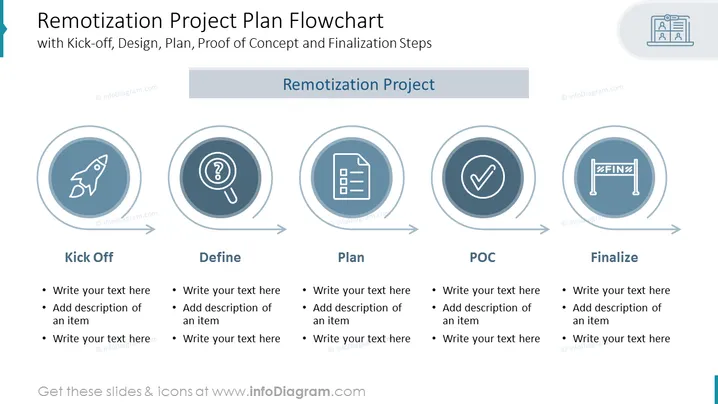
The slide titled "Remotization Project Plan Flowchart" outlines a strategic process for a project with phases including Kick-off, Define, Plan, Proof of Concept (POC), and Finalize. Each phase is represented by a circular icon and is followed by text placeholders for further detail. 'Kick-off' symbolizes the project's initiation, 'Define' concerns setting project objectives and scopes, 'Plan' involves outlining the steps and resources needed, 'POC' refers to testing the project's viability, and 'Finalize' represents the completion and formal closure of the project.
The slide presents a clean and modern design, with a logical flow that is easy to follow. It utilizes visual metaphors for each project phase to quickly communicate the project's progression at a glance.




