
Reviews
Sus gráficos añaden un toque agradable a mis presentaciones y recientemente los usé para una de mis reuniones generales. Su conjunto de herramientas añade profesionalismo a mis diapositivas. En lugar de usar imágenes prediseñadas estándar.
Necesitaba un aspecto fresco para algunas de mis diapositivas. Había intentado encontrar una forma de crear un efecto de pincel, de subrayar, acentuar, añadir algo de color y los marcadores escritos a mano fueron justo lo que necesitaba. Muy fácil de usar, fácil de ajustar el tamaño, cambiar el color. Fue una solución asequible y perfecta, y estoy feliz de recomendarla.
El aspecto nítido y limpio de los gráficos, y el hecho de que me permitiera editar y cambiar fácilmente los colores para que coincidieran con la plantilla fue mi principal razón para comprarlos.
Description
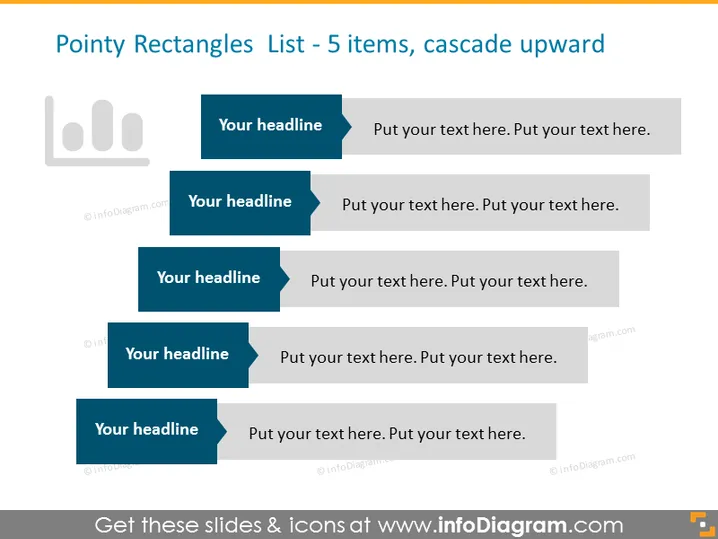
Pointy Rectangles List - 5 items, cascade upward
Slide Content
The PowerPoint slide titled "Pointy Rectangles List - 5 items, cascade upward" presents a structured format to display a list of items or concepts that likely follow a sequence or a hierarchy. Each pointy rectangle serves as a label for a different item, indicated by "Your headline," suggesting that the presenter will replace each with a specific topic title. Under each headline is a placeholder "Put your text here," implying additional details will be included to elaborate on each headline. This layout promotes an ascending visual flow, with importance possibly increasing from bottom to top.
Graphical Look
- A series of five blue, pointy-ended rectangles, each decreasing in size from bottom to top, arranged in a vertically cascading fashion.
- Each rectangle is paired with a lighter, grey text box to its right, serving as a placeholder for additional descriptive text.
- The blue rectangles have a solid fill and a triangular cut on the right side, giving them a distinctive pointed appearance.
- The slide uses a white background which contrasts with the blue and grey elements, enhancing visibility and readability.
- A graphical icon on the upper left, resembling a bar chart, is created in shades of grey, possibly indicating a progression or ranking, thematically complementing the list.
The overall look of the slide is clean and professional, with a clear hierarchical structure that is easy to follow. The contrasting colors and distinct shapes direct the viewer's attention to the sequence of points presented.
Use Cases
- Presenting a step-by-step process or sequence of events.
- Illustrating hierarchical information or priorities within a project or business strategy.
- Outlining a list of objectives or goals, with the most important or foundational item at the bottom.
- Comparing different concepts or ideas, where each point builds upon the previous one.
How to Edit
How to edit text & colors

How to expand / shorten diagram

How to Replace Icons in infoDiagram PPT


