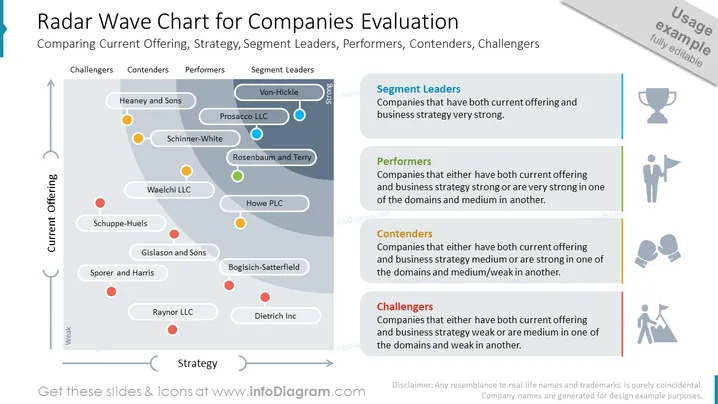
This example image shows a radar chart for company evaluations. Like to see how your competitors are performing, or need to measure how far they've gone this quarter? By using one of these templates, you can ensure that your presentation looks professional however, you don't spend too much time having to make it!
You could use this to display the market position of different businesses in your industry, use to help decide on your new strategy, adapt for other metrics, work out or graph how your competitors are performing, map out companies by value, scale, or size, rating, or several other factors; help with coming up with your next steps, etc.
All elements are fully editable, with icon sets also coming in a vector graphic format. You may add shadows and other effects as often as you'd like, resize shapes without loss of image quality, and add text & data (e.g. possible 10 % of competitors are in x category, only 100 companies in the country would be segment leaders, 1 new brand name in x) change colors to match your corporate palette, for example.
##Slide contents:
Company Evaluation PPT, Vector Graphic Illustrations, Radar Wave Chart, Textboxes, Placeholder Text, Line Graphics, Circle Graphics, Arrow Graphics, Trophy Icon, Person with Flag Icon, Boxing Gloves Icon, Person & Mountain Icon, Resizable Shapes, White Background