
Reviews
The icons are fantastic, easy to use, and will add value to any project or presentation. Keep up the great work.
I love how simple infoDiagram's solutions are and the personal interest they took in my work. Recommended 1000%!
The crisp, clean look of the graphics, and the fact that it allowed me to easily edit and change the colors to match the template was my main reason for purchasing them.
Description
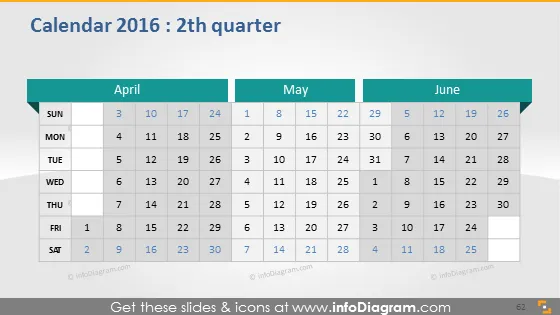
Calendar 2016: 2th quarter
Slide Content
The slide displays a calendar for the second quarter of 2016, covering the months of April, May, and June. Each month is represented in a separate column with dates aligned by day of the week. The weeks are organized from Sunday to Saturday, indicating a conventional week structure. Specific dates are not highlighted, suggesting that the calendar is a blank template for detailing events, deadlines, or other significant dates in a corporate or personal setting.
Graphical Look
- The slide background is a gradient of dark to light gray.
- There are three main content columns, each representing a month, and bordered by a thin line.
- Each column header for April, May, and June has a teal background with white text.
- Days of the week are listed at the top of each column with the text in black and a light gray background.
- Dates are listed in individual cells aligned in a grid pattern beneath each day of the week.
- The slide uses a sans-serif font for readability.
- The upper right corner features a stylized icon of a page with a folded corner, possibly indicating a document or report imagery.
The visual design is clean and minimalist with a business-like, professional aesthetic using a cool color palette.
Use Cases
- Scheduling important project milestones and deadlines in a business presentation.
- Outlining the availability of team members or resources over a three-month period in a management meeting.
- Highlighting corporate events, such as conferences or quarterly earnings reports, during a stakeholder briefing.
- Sharing holiday periods and planned staff vacations in an HR or team planning session.
How to Edit
How to edit text & colors

How to expand / shorten diagram

How to Replace Icons in infoDiagram PPT


