
Reviews
Sus gráficos añaden un toque agradable a mis presentaciones y recientemente los usé para una de mis reuniones generales. Su conjunto de herramientas añade profesionalismo a mis diapositivas. En lugar de usar imágenes prediseñadas estándar.
Necesitaba un aspecto fresco para algunas de mis diapositivas. Había intentado encontrar una forma de crear un efecto de pincel, de subrayar, acentuar, añadir algo de color y los marcadores escritos a mano fueron justo lo que necesitaba. Muy fácil de usar, fácil de ajustar el tamaño, cambiar el color. Fue una solución asequible y perfecta, y estoy feliz de recomendarla.
El aspecto nítido y limpio de los gráficos, y el hecho de que me permitiera editar y cambiar fácilmente los colores para que coincidieran con la plantilla fue mi principal razón para comprarlos.
Description
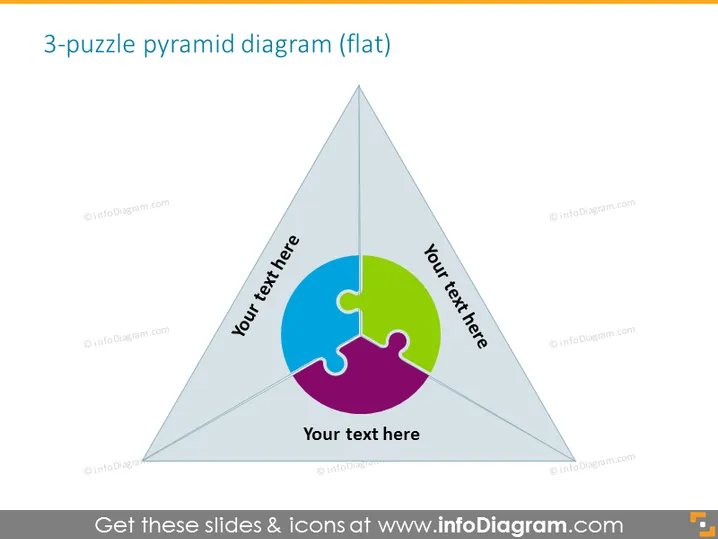
3-puzzle pyramid diagram (flat)
Slide Content
The slide presents a "3-puzzle pyramid diagram," which is likely illustrating how three separate pieces fit together to form a whole. This kind of visual is common for showing how different parts contribute to a single outcome or objective. Each piece of the puzzle is tied to a placeholder text, suggesting that the presenter can insert specific information pertaining to each part, making it a versatile tool for expressing interrelated ideas or components in a straightforward, visually engaging manner.
Graphical Look
- The background of the slide is white.
- At the center of the slide is a three-piece puzzle contained within the borders of a triangular pyramid.
- Each puzzle piece is a different color: one is green, another blue, and the third purple.
- The pyramid appears to be three-dimensional owing to the gradient shading on its sides.
- There are three text placeholders, each located next to a puzzle piece, inviting the presenter to add specific details.
- The fonts are sans-serif, maintaining a clean and modern look.
The slide has a professional and minimalist design with a clear focus on the central pyramid diagram. The use of colors to differentiate the puzzle pieces makes the diagram stand out and easily readable.
Use Cases
- Explaining how individual project phases contribute to a final deliverable in a project management presentation.
- Demonstrating the synergy of different business units or departments within a company during a corporate strategy session.
- Illustrating the key components of a marketing strategy that come together to form a cohesive campaign during a marketing meeting.
- Presenting the foundational elements of a concept or theory in educational or training sessions.
How to Edit
How to edit text & colors

How to expand / shorten diagram

How to Replace Icons in infoDiagram PPT


