
Reviews
Your graphics add a nice touch to my presentations and I recently used them for one of my all-hands meetings. Your toolbox adds professionalism to my slides. Instead of using standard clipart.
I needed a fresh look at some of my slides. I've tried to find a way to create a paintbrush effect, to underline, accentuate, add some color and the handwritten markers were just the things. Very easy to use, easy to size, change the color. It was an affordable, perfect solution and I'm happy to recommend it.
The crisp, clean look of the graphics, and the fact that it allowed me to easily edit and change the colors to match the template was my main reason for purchasing them.
Description
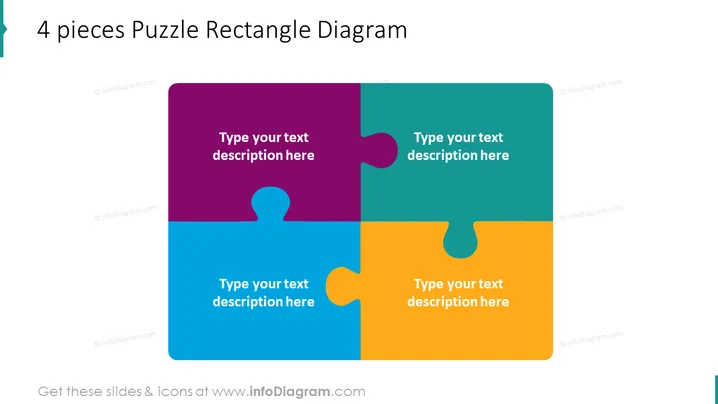
4 pieces Puzzle Rectangle Diagram
Slide Content
The slide displays a 4 pieces Puzzle Rectangle Diagram which visually represents four interconnected elements or ideas that together form a complete concept or strategy. Each puzzle piece has space for text, allowing the presenter to elaborate on individual components of the concept or strategy. The idea implies that all pieces are critical and must fit together to complete the intended picture, symbolizing coherence and interdependency.
Graphical Look
- A large, centrally placed rectangular puzzle composed of four jigsaw pieces, each in a distinct color.
- Each puzzle piece has a placeholder for text, depicted by the phrase "Type your text description here" set in white font against the colored background.
- The colors of the puzzle pieces are purple, teal, green, and yellow, creating a vibrant and attention-grabbing palette.
- The jigsaw pieces are designed in such a way that they fit together seamlessly, implying interconnectivity.
- The puzzle occupies the majority of the slide space, with a simple white background around it.
The slide presents a simple and clean aesthetic with a colorful and engaging central diagram. The design effectively conveys the idea of interconnected pieces forming a whole.
Use Cases
- To illustrate how different departments or teams within a company must work together to achieve organizational goals.
- For presenting various components of a business strategy or project plan, showing how each part is necessary for success.
- To demonstrate the relationships between different concepts in an educational or training session.
- In a marketing presentation, to showcase how multiple product features complement each other to satisfy customer needs.
How to Edit
How to edit text & colors

How to expand / shorten diagram

How to Replace Icons in infoDiagram PPT


