
Your graphics add a nice touch to my presentations and I recently used them for one of my all-hands meetings. Your toolbox adds professionalism to my slides. Instead of using standard clipart.
Claude Jones, Director of Engineer, @Walmartlabs, USA
Your graphics add a nice touch to my presentations and I recently used them for one of my all-hands meetings. Your toolbox adds professionalism to my slides. Instead of using standard clipart.
Claude Jones, Director of Engineer, @Walmartlabs, USA
I needed a fresh look at some of my slides. I've tried to find a way to create a paintbrush effect, to underline, accentuate, add some color and the handwritten markers were just the things. Very easy to use, easy to size, change the color. It was an affordable, perfect solution and I'm happy to recommend it.
Anonymous, US
The crisp, clean look of the graphics, and the fact that it allowed me to easily edit and change the colors to match the template was my main reason for purchasing them.
Brandie Jenkins, E-learning Developer, USA
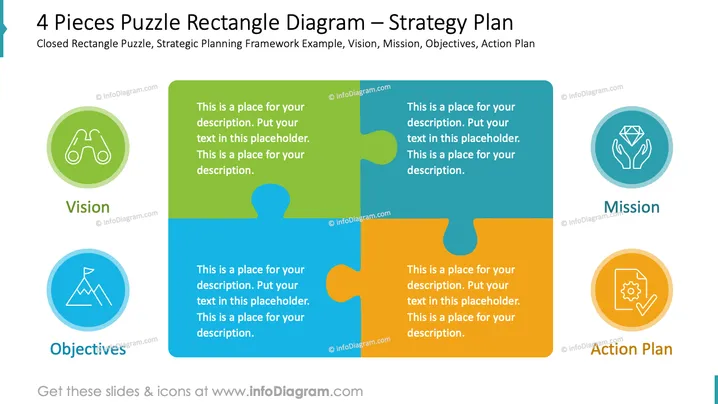
The PowerPoint slide titled "4 Pieces Puzzle Rectangle Diagram – Strategy Plan" visually represents a strategic planning framework consisting of four interconnected components: Vision, Mission, Objectives, and Action Plan. Each piece of the rectangle puzzle depicts a vital part, and placeholders are provided for a description next to corresponding icons which symbolize the concept. The Vision piece suggests looking ahead, Mission embodies purpose, Objectives represent goals to achieve, and Action Plan outlines steps required to execute the strategy.
The overall look of the slide is simple and professional, with a clear color-coded scheme that visually distinguishes each component of the strategic framework. The use of puzzle pieces effectively communicates how each strategic component connects to form a complete plan.




