
Reviews
Your graphics add a nice touch to my presentations and I recently used them for one of my all-hands meetings. Your toolbox adds professionalism to my slides. Instead of using standard clipart.
I needed a fresh look at some of my slides. I've tried to find a way to create a paintbrush effect, to underline, accentuate, add some color and the handwritten markers were just the things. Very easy to use, easy to size, change the color. It was an affordable, perfect solution and I'm happy to recommend it.
The crisp, clean look of the graphics, and the fact that it allowed me to easily edit and change the colors to match the template was my main reason for purchasing them.
Description
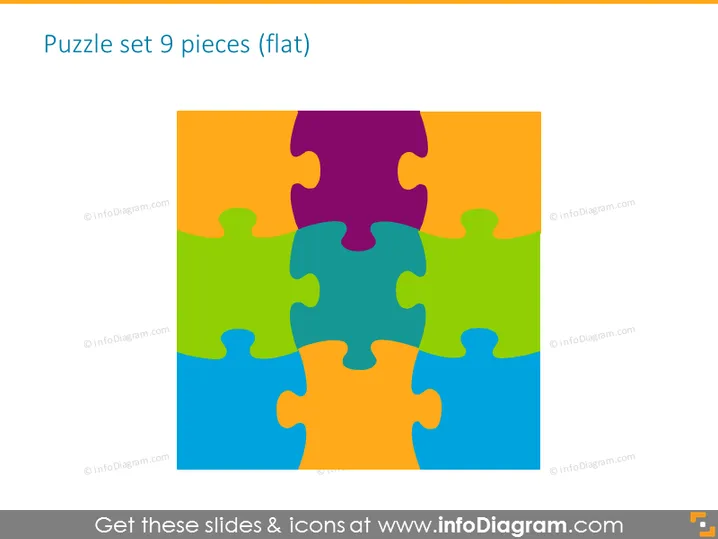
Puzzle set 9 pieces (flat)
Slide Content
The slide is titled "Puzzle set 9 pieces (flat)," indicating it features an image or representation of a 9-piece puzzle set laid out flat. This could symbolize various components that need to come together to complete a project, idea, or concept, emphasizing interconnectivity and the importance of each individual piece in contributing to the whole. Each puzzle piece could be used to represent a separate but essential element or department within a larger system or organization.
Graphical Look
- The slide features a large, colorful image that occupies most of the slide, depicting a 9-piece jigsaw puzzle.
- Each puzzle piece is a different color, and they fit together to form a complete square.
- The colors range from purple to blue, green, orange, and yellow, creating a vibrant and eye-catching composition.
- The puzzle pieces have standard jigsaw shapes with protrusions and indentations that interlock with each other.
- The slide background outside of the puzzle is white, making the colored puzzle image stand out prominently.
- The slide has a clean and minimalist appearance, with no additional text or graphics aside from the slide title.
The overall look of the slide is bright and colorful with a clear focus on the puzzle graphic. The simplicity of the design underscores the concept of different elements coming together seamlessly.
Use Cases
- Demonstrating how different components of a strategic plan fit together during a business strategy presentation.
- Illustrating the integration of various departments in a company during organizational restructuring meetings.
- Presenting the stages of a project and how they connect to form the final outcome in project management updates.
- Showcasing the value of teamwork and collaboration in a team building or HR training session.
How to Edit
How to edit text & colors

How to expand / shorten diagram

How to Replace Icons in infoDiagram PPT


