
Reviews
Sus gráficos añaden un toque agradable a mis presentaciones y recientemente los usé para una de mis reuniones generales. Su conjunto de herramientas añade profesionalismo a mis diapositivas. En lugar de usar imágenes prediseñadas estándar.
Necesitaba un aspecto fresco para algunas de mis diapositivas. Había intentado encontrar una forma de crear un efecto de pincel, de subrayar, acentuar, añadir algo de color y los marcadores escritos a mano fueron justo lo que necesitaba. Muy fácil de usar, fácil de ajustar el tamaño, cambiar el color. Fue una solución asequible y perfecta, y estoy feliz de recomendarla.
El aspecto nítido y limpio de los gráficos, y el hecho de que me permitiera editar y cambiar fácilmente los colores para que coincidieran con la plantilla fue mi principal razón para comprarlos.
Description
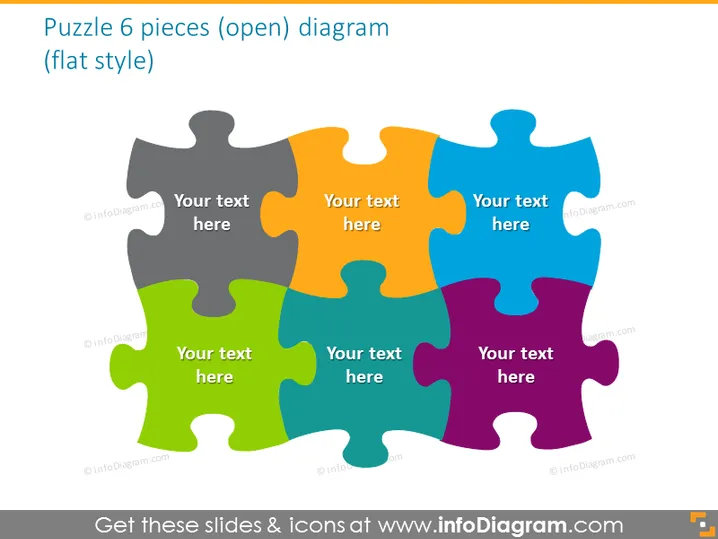
Puzzle 6 pieces (open) diagram (flat style)
Slide Content
The PowerPoint slide depicts a 6-piece puzzle diagram with each piece in a different color and space for text. This slide is typically used to express how individual components fit into a bigger picture or to showcase interconnected ideas or project parts. Each puzzle piece could represent a separate but related concept, project phase, department, or idea that contributes to the overall theme or goal.
Graphical Look
- The slide showcases a central image of a jigsaw puzzle with 6 interlocking pieces.
- Each puzzle piece has a distinct color: gray, orange, blue, green, purple, and red.
- There's a placeholder text "Your text here" in the center of each puzzle piece.
- The puzzle pieces have a three-dimensional shading effect that gives depth to the illustration.
- The slide employs a flat design style, characterized by simple elements without any intricate textures or patterns.
- The background of the slide is white, which emphasizes the colorful puzzle pieces.
The slide's visual composition is simple yet effective, using vibrant colors and recognizable icons to convey a message of interconnectivity and cohesion. It is eye-catching and allows for easy insertion of custom text.
Use Cases
- To illustrate how different team roles or departments contribute to a greater organizational goal.
- In project management presentations to demonstrate the relationship between different project stages or components.
- To show the interdependence of ideas in a strategic business plan or proposal.
- As a visual metaphor in training materials to explain how various skills or concepts fit together to create a comprehensive understanding.
How to Edit
How to edit text & colors

How to expand / shorten diagram

How to Replace Icons in infoDiagram PPT


