
Reviews
Ihre Grafiken verleihen meinen Präsentationen eine nette Note, und ich habe sie kürzlich für eines meiner All-Hands-Meetings verwendet. Ihre Toolbox verleiht meinen Folien Professionalität, anstatt Standard-Clipart zu verwenden.
Ich brauchte einen neuen Blick auf einige meiner Folien. Ich habe versucht, einen Weg zu finden, einen Pinselschlag-Effekt zu erzielen, um zu unterstreichen, hervorzuheben, Farbe hinzuzufügen, und die handgeschriebenen Markierungen waren genau das Richtige. Sehr einfach zu bedienen, leicht in der Größe zu ändern, die Farbe zu ändern. Es war eine erschwingliche, perfekte Lösung und ich empfehle sie gerne weiter.
Die klare, saubere Optik der Grafiken und die Tatsache, dass ich die Farben leicht bearbeiten und an die Vorlage anpassen konnte, war mein Hauptgrund für den Kauf.
Description
Slide title. Text + picture
Slide Content
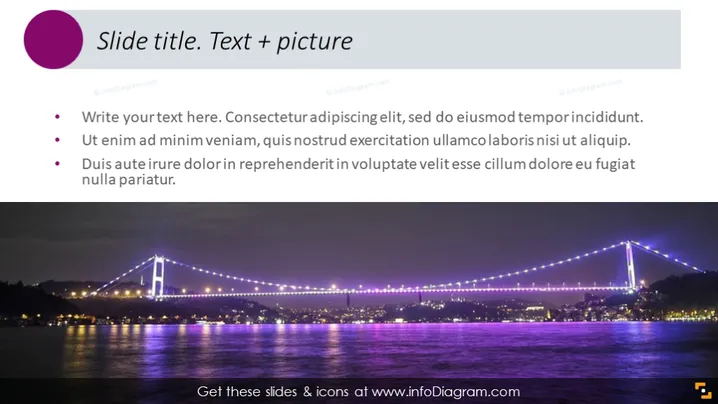
The PowerPoint slide is structured to convey information through a combination of bullet points and a visual element. The title implies that the slide's focus is to juxtapose text with an image to enhance the message. There are three bullet points, each beginning with a red bullet symbol, followed by placeholder text. These serve as examples or prompts for the user to insert their relevant content. The topics in the bullet points are written in Lorem Ipsum, which is a filler text used as a placeholder for future content, indicating that this is a template slide.
Graphical Look
- The slide features a large title at the top in a bold, purple font, designed to stand out.
- Below the title is a horizontal line, enhancing the separation between the title and the slide's body.
- Three bullet points are located on the left side; each bullet is represented by a bold, dark red circle.
- Placeholder text follows each bullet point, written in a smaller, white font for contrast against the dark background.
- On the right side, there is a large photograph that spans the bottom section of the slide, visually balancing the text on the left.
- The photograph depicts a beautifully illuminated suspension bridge at night with reflections on the water.
The slide is visually balanced, with text elements on the left contrasting with a vivid photographic image on the right. A polished and professional look is achieved through the use of clean lines, bold color for the title, and an elegant photo selection.
Use Cases
- To introduce a key concept or topic, the slide can showcase the title with a relevant, eye-catching image to capture the audience's attention.
- The slide can be used to present company goals or objectives, where the text would outline specifics and the picture symbolizes the vision or accomplishments.
- Ideal for summarizing the main points of a presentation, providing a visual to help reinforce the information presented in the bullet points.
- Can be used in educational settings where instructors want to illustrate a topic with both explanatory text and a related image to facilitate better understanding.
How to Edit
How to edit text & colors

How to expand / shorten diagram

How to Replace Icons in infoDiagram PPT


