
Reviews
Your graphics add a nice touch to my presentations and I recently used them for one of my all-hands meetings. Your toolbox adds professionalism to my slides. Instead of using standard clipart.
I needed a fresh look at some of my slides. I've tried to find a way to create a paintbrush effect, to underline, accentuate, add some color and the handwritten markers were just the things. Very easy to use, easy to size, change the color. It was an affordable, perfect solution and I'm happy to recommend it.
The crisp, clean look of the graphics, and the fact that it allowed me to easily edit and change the colors to match the template was my main reason for purchasing them.
Description
Purchase Symbols 3D Icons
Slide Content
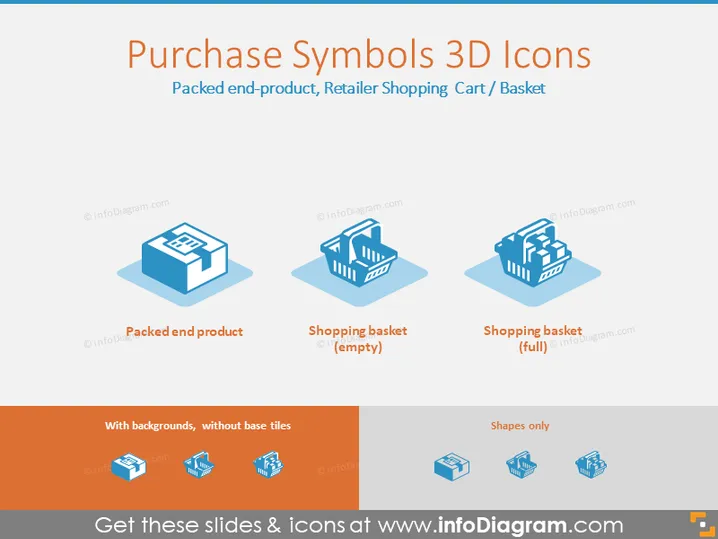
The slide is titled "Purchase Symbols 3D Icons" and depicts three different 3D icons related to purchasing and shopping. The first icon is labeled "Packed end product," implying a finished product ready for sale. The second icon is a "Shopping basket (empty)," suggesting potential for filling with items. Lastly, the third icon shows a "Shopping basket (full)," indicating a basket filled with items representing completed shopping or the intent to purchase those items.
Graphical Look
- The slide background is a light grey color with a subtle texture.
- A bold, dark blue level 2 header "Purchase Symbols 3D Icons" is positioned at the top.
- There are three 3D icons, each with a slight shadow, giving them a floating effect.
- The first icon represents a packed product with a blue and white color scheme.
- The second icon is an empty shopping basket in a similar blue and white color scheme.
- The third icon is a full shopping basket, also maintaining the consistent color palette.
- Below the icons are labels in a sans-serif font, providing a brief description for each icon.
- At the bottom of the slide, there's an orange bar with two smaller icon images and text indicating variations without base tiles and shapes only.
The slide is minimalistic with a clean and modern design, using a consistent color scheme of blue, white, and orange. The 3D icons are simple yet detailed enough to convey their intended meaning.
Use Cases
- To visually enhance slides that discuss different stages of the retail process, from product packing to the act of purchasing.
- In marketing presentations to illustrate various aspects of the consumer shopping experience.
- As part of an e-commerce strategy presentation, showcasing the flow from viewing an empty shopping cart to a full one, indicating a successful sale.
- To symbolically represent inventory concepts in a business supply chain or logistics presentation.
How to Edit
How to edit text & colors

How to expand / shorten diagram

How to Replace Icons in infoDiagram PPT


