
Reviews
Your graphics add a nice touch to my presentations and I recently used them for one of my all-hands meetings. Your toolbox adds professionalism to my slides. Instead of using standard clipart.
I needed a fresh look at some of my slides. I've tried to find a way to create a paintbrush effect, to underline, accentuate, add some color and the handwritten markers were just the things. Very easy to use, easy to size, change the color. It was an affordable, perfect solution and I'm happy to recommend it.
The crisp, clean look of the graphics, and the fact that it allowed me to easily edit and change the colors to match the template was my main reason for purchasing them.
Description
Pros & Cons Comparison Textbox Template
Slide Content:
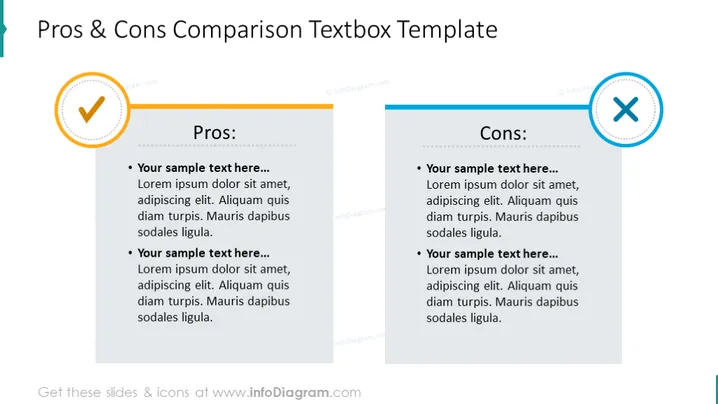
The slide presents a comparison template for evaluating the pros and cons of a subject. Under "Pros," there are two bullet points, each containing a placeholder text ("Your sample text here...") followed by generic filler text. Similarly, under "Cons," there are two corresponding bullet points with identical placeholders and filler text. This layout is meant to help users methodically weigh the advantages and disadvantages of a particular topic.
Graphical Look:
- The slide is divided into two columns: the left for Pros and the right for Cons.
- Each column has a heading with a large font size, clearly stating "Pros" and "Cons."
- Bullet points are used to list items, with a bolded introductory phrase followed by descriptive text.
- The "Pros" section has a circular checkmark icon with a yellow-orange gradient. The "Cons" section features a circular cross icon with a light blue gradient.
The overall design is clean, with a professional color scheme and a balance between text and iconography. The overall look of the slide is sleek and professional, with a clear visual distinction between positive and negative aspects through color-coded icons and well-organized content. The design is straightforward, emphasizing readability and effective communication.
Use Cases:
- Presenting the strengths and weaknesses of a business strategy.
- Comparing different product features for internal decision-making.
- Highlighting the benefits and drawbacks of a proposed project or initiative.
- Assisting in stakeholder presentations to facilitate informed discussions.
How to Edit
How to edit text & colors

How to expand / shorten diagram

How to Replace Icons in infoDiagram PPT


