
Reviews
Your slides are my "secret sauce" when it comes to presenting my ideas to clients. I save a lot of time.
J'avais un délai de livraison à respecter et je n'avais pas le temps de créer une variété de modèles de diapositives. Infodiagram m'a proposé des options faciles à télécharger et à personnaliser en fonction de mes besoins !
Vos diapositives suscitent souvent de précieux commentaires et idées de la part de mon équipe, ce qui améliore les diapositives finales.
Description
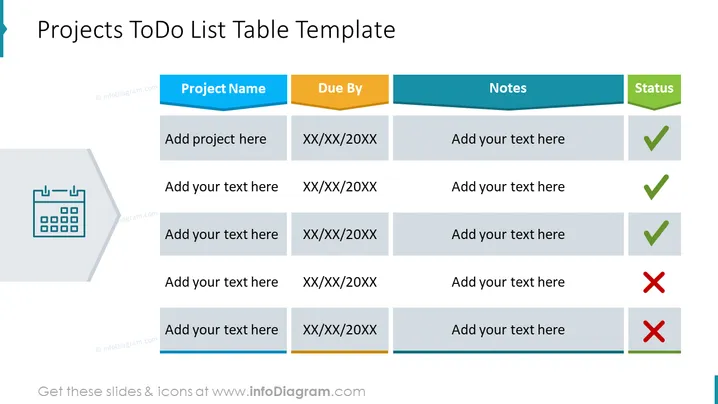
Projects ToDo List Table Template
Slide Content
The slide presents a structured Projects ToDo List Table Template, which is useful for tracking project tasks and their progress. The table includes headers for "Project Name", "Due By", "Notes", and "Status". Under each header, there are placeholder texts like "Add project here" and "XX/XX/20XX" for due dates, indicating where the specific project information should be added. The "Status" column utilizes checkmarks and crosses to visually represent the completion or incompletion of tasks.
Graphical Look
- A large title at the top of the slide reads "Projects ToDo List Table Template" in bold, dark blue lettering.
- Beneath the title is a table with headers in different shades of blue; "Project Name" is in dark blue, "Due By" in a lighter blue, "Notes" in teal, and "Status" in a greenish-blue.
- The table rows alternate between white and a soft grey for easier readability, and each row has space to add specific details for different projects.
- The "Status" column features graphical icons: a green checkmark indicating a completed task and a red cross indicating an incomplete task.
- To the left of the table, there's a large faded icon representing a calendar, which reinforces the theme of scheduling and time management related to project tasks.
The overall look of the slide is clean and professional, with a color scheme that's easy on the eyes and facilitates focus on the key information. The use of icons in the "Status" column adds an effective visual cue for the progress of tasks.
Use Cases
- Tracking progress for multiple projects during team meetings or reviews.
- Presenting a concise task overview to stakeholders or clients, showcasing the status of various deliverables.
- Utilizing as a personal organization tool to manage and prioritize daily or weekly project-related tasks.
- Incorporating into project management workshops or training sessions to illustrate how to effectively organize and monitor tasks.
How to Edit
How to edit text & colors

How to expand / shorten diagram

How to Replace Icons in infoDiagram PPT


