
Reviews
Sus gráficos añaden un toque agradable a mis presentaciones y recientemente los usé para una de mis reuniones generales. Su conjunto de herramientas añade profesionalismo a mis diapositivas. En lugar de usar imágenes prediseñadas estándar.
Necesitaba un aspecto fresco para algunas de mis diapositivas. Había intentado encontrar una forma de crear un efecto de pincel, de subrayar, acentuar, añadir algo de color y los marcadores escritos a mano fueron justo lo que necesitaba. Muy fácil de usar, fácil de ajustar el tamaño, cambiar el color. Fue una solución asequible y perfecta, y estoy feliz de recomendarla.
El aspecto nítido y limpio de los gráficos, y el hecho de que me permitiera editar y cambiar fácilmente los colores para que coincidieran con la plantilla fue mi principal razón para comprarlos.
Description
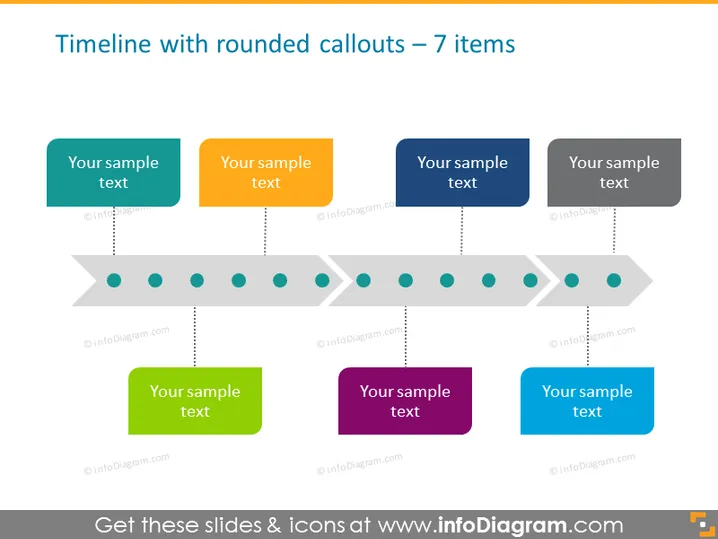
Timeline with rounded callouts – 7 items
Slide Content
The slide presents a horizontal timeline with seven key points, each represented by a circular shaped node connected to a colored rectangle with rounded corners containing sample text. These callouts are placeholders for describing events or milestones. Each colored rectangle corresponds to a different stage or element in the timeline, providing a visually segmented yet connected account of events or processes.
Graphical Look
- A horizontal grey arrow functions as the timeline base with pointed ends, indicating a directional flow of time from left to right.
- Above the timeline, four rounded rectangular callout boxes in teal, orange, turquoise, and dark grey, each with "Your sample text" placeholder.
- Below the timeline, three rounded rectangular callout boxes in green, purple, and blue with the same placeholder text.
- Eight circular nodes or milestones along the timeline. They are dark in the center lightening towards the outer edge, to give a three-dimensional effect.
- Dotted lines from each node to the corresponding callout boxes, providing a clear connection between the timeline element and the detailed information.
- A shadow effect under the callout boxes, giving a sense of depth to the visual elements.
- The color palette combines both warm and cool tones, balancing the visual interest.
The overall look of the slide is professional and visually appealing, encouraging the viewer to focus on the sequence of events or steps visualized by the timeline. The use of color and shadows creates a layered, three-dimensional appearance that enhances readability.
Use Cases
- To present the steps of a project timeline during a business meeting or a management presentation.
- To display historical milestones of a company in an engaging way at corporate events or shareholder meetings.
- For educational purposes, such as outlining the progression of a particular lesson plan or curriculum.
- To visualize product development stages from concept to market launch during a marketing or product team meeting.
How to Edit
How to edit text & colors

How to expand / shorten diagram

How to Replace Icons in infoDiagram PPT


