
Reviews
Sus gráficos añaden un toque agradable a mis presentaciones y recientemente los usé para una de mis reuniones generales. Su conjunto de herramientas añade profesionalismo a mis diapositivas. En lugar de usar imágenes prediseñadas estándar.
Necesitaba un aspecto fresco para algunas de mis diapositivas. Había intentado encontrar una forma de crear un efecto de pincel, de subrayar, acentuar, añadir algo de color y los marcadores escritos a mano fueron justo lo que necesitaba. Muy fácil de usar, fácil de ajustar el tamaño, cambiar el color. Fue una solución asequible y perfecta, y estoy feliz de recomendarla.
El aspecto nítido y limpio de los gráficos, y el hecho de que me permitiera editar y cambiar fácilmente los colores para que coincidieran con la plantilla fue mi principal razón para comprarlos.
Description
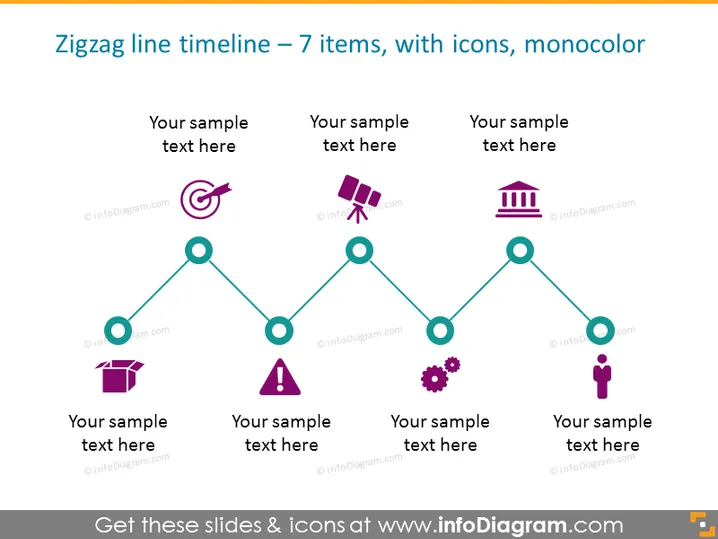
Zigzag line timeline – 7 items, with icons, monocolored
Slide Content
The PowerPoint slide titled "Zigzag line timeline – 7 items, with icons, monocolored" outlines a timeline with seven key events or milestones, each denoted by an icon representing the topic. This type of visual representation helps to succinctly communicate a sequence of steps, events, or progress over time, and each icon serves as a visual aid to quickly convey the nature of each item. The sample text placeholders beneath each icon provide an opportunity for a brief explanation or date corresponding to each milestone.
Graphical Look
- The main visual element is a zigzag line that connects circles vertically and horizontally across the slide.
- Each circle has an icon inside it, and they are uniformly teal colored.
- A short text placeholder under each icon allows for annotations.
- The icons represent various concepts like communication, warnings, buildings, and people, adapting to a wide range of topics.
- The color scheme is monochrome, with teal, white, and variations of dark purple for text and accents.
- The background is plain white, which makes the teal elements stand out.
- Font used for text is sans-serif, simple, and easy to read.
The overall design is minimalistic, with a clean and professional appearance. The symmetrical layout provides a balanced look and guides the viewer's eye along the timeline in a logical progression.
Use Cases
- To showcase project milestones or phase completions in a project management presentation.
- To illustrate the timeline of a company's history or significant events during a corporate anniversary.
- To communicate steps in a process or strategy over time during a business strategy meeting.
- To display a product development lifecycle or a roadmap during a product presentation.
How to Edit
How to edit text & colors

How to expand / shorten diagram

How to Replace Icons in infoDiagram PPT


