
Reviews
Your slides are my "secret sauce" when it comes to presenting my ideas to clients. I save a lot of time.
J'avais un délai de livraison à respecter et je n'avais pas le temps de créer une variété de modèles de diapositives. Infodiagram m'a proposé des options faciles à télécharger et à personnaliser en fonction de mes besoins !
Vos diapositives suscitent souvent de précieux commentaires et idées de la part de mon équipe, ce qui améliore les diapositives finales.
Description
Ribbon Timeline – 6 Items, 2 Rows, Monocolour
Slide Content
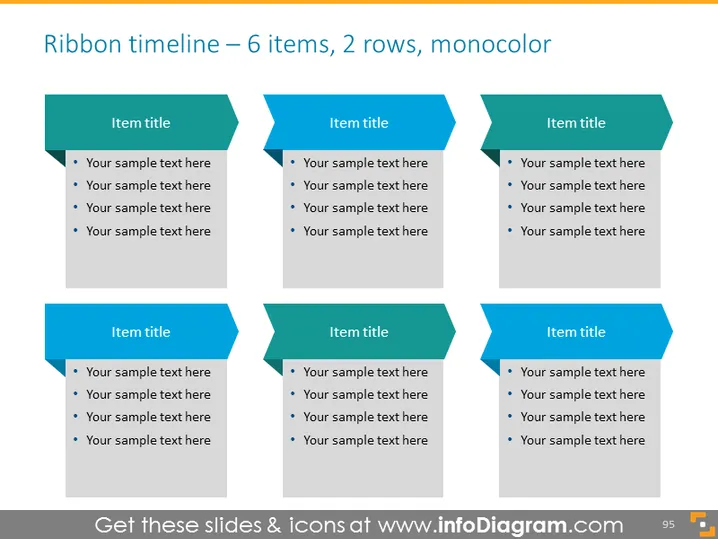
The slide presents a "Ribbon timeline" layout with six elements spread across two rows. Each element has a placeholder for an "Item title" followed by four bullet points labeled "Your sample text here." This structure suggests a sequence or progression of events or items, with each ribbon piece potentially representing a different stage or topic. The uniformity of color and structure emphasizes the cohesive flow of the timeline.
Graphical Look
- Six ribbon-shaped banners arranged in two rows of three, resembling a flow or sequence.
- Each ribbon banner has a sharp fold at the left end, which adds a sense of dimensionality.
- The ribbon banners and bullet points are in monochromatic teal tones against a soft grey background, providing a professional and minimalistic color scheme.
- Banners bear the placeholder text "Item title," indicating a position for a heading.
- Below each title, four bullet points start with a round bullet, each followed by the placeholder "Your sample text here."
- There are no other graphical objects or design elements, reinforcing the focus on the content of the ribbons.
The overall look of the slide is clean and professional, with a straightforward structure that is easy to follow. The consistency in design suggests a clear narrative or progression, making it efficient for presenting grouped information in a sequence.
Use Cases
- To display project milestones or phases in a business presentation.
- For outlining chronological steps in a process during a training session.
- To visualize the agenda or itinerary of an event in a clear and structured manner.
- In reporting the sequential achievements or updates in a given time frame during company meetings.
How to Edit
How to edit text & colors

How to expand / shorten diagram

How to Replace Icons in infoDiagram PPT


