
Your graphics add a nice touch to my presentations and I recently used them for one of my all-hands meetings. Your toolbox adds professionalism to my slides. Instead of using standard clipart.
Claude Jones, Director of Engineer, @Walmartlabs, USA

Your graphics add a nice touch to my presentations and I recently used them for one of my all-hands meetings. Your toolbox adds professionalism to my slides. Instead of using standard clipart.
Claude Jones, Director of Engineer, @Walmartlabs, USA

I needed a fresh look at some of my slides. I've tried to find a way to create a paintbrush effect, to underline, accentuate, add some color and the handwritten markers were just the things. Very easy to use, easy to size, change the color. It was an affordable, perfect solution and I'm happy to recommend it.
Anonymous, US
The crisp, clean look of the graphics, and the fact that it allowed me to easily edit and change the colors to match the template was my main reason for purchasing them.
Brandie Jenkins, E-learning Developer, USA
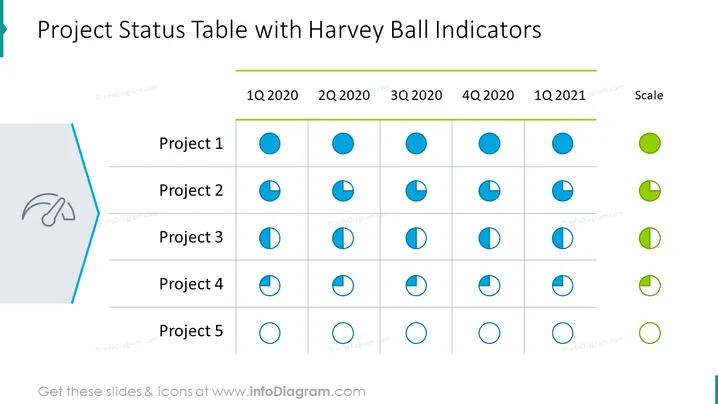
The slide presents a project status overview using Harvey Ball indicators to represent progress across five projects over four quarters plus an additional period. Project 1 through Project 5 are listed vertically, with the corresponding progress for each quarter displayed in Harvey Balls, which are pie-chart-like circles that fill proportionally to indicate progress. The Scale on the right provides a visual key for interpreting these indicators: a full circle represents completion, while an empty one signifies no progress.
The overall look of the slide is professional and clean, utilizing a color scheme that highlights important elements without being distracting. The use of Harvey Ball indicators makes the slide visually engaging and allows for quick comprehension of project statuses.


