
Reviews
Sus gráficos añaden un toque agradable a mis presentaciones y recientemente los usé para una de mis reuniones generales. Su conjunto de herramientas añade profesionalismo a mis diapositivas. En lugar de usar imágenes prediseñadas estándar.
Necesitaba un aspecto fresco para algunas de mis diapositivas. Había intentado encontrar una forma de crear un efecto de pincel, de subrayar, acentuar, añadir algo de color y los marcadores escritos a mano fueron justo lo que necesitaba. Muy fácil de usar, fácil de ajustar el tamaño, cambiar el color. Fue una solución asequible y perfecta, y estoy feliz de recomendarla.
El aspecto nítido y limpio de los gráficos, y el hecho de que me permitiera editar y cambiar fácilmente los colores para que coincidieran con la plantilla fue mi principal razón para comprarlos.
Description
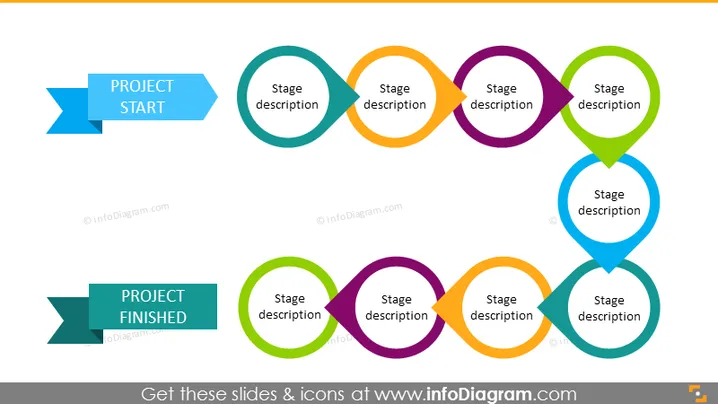
Linear Project Plan Roadmap – 9 Stages
Slide Content:
The PowerPoint slide visually represents the lifecycle of a project from start to finish. The interconnected circles, each labeled with "Stage description," suggest a continuous, step-by-step process. The design implies that each stage is critical and must be completed before moving to the next, symbolizing the flow and interdependency of project stages. "PROJECT START" and "PROJECT FINISHED" banners bookend the sequence, clearly defining the beginning and end points of the project's timeline.
Graphical Look:
- A series of interconnected circles in various colors aligned horizontally across the slide.
- Each circle contains a placeholder label for "Stage description," indicating a segment of the project process.
- Directional arrows within the circles show the flow from one stage to the next.
- Two horizontal banner-like shapes at the beginning and end of the sequence are labeled "PROJECT START" and "PROJECT FINISHED" in bold text.
- The slide background is white, providing a clean and neutral backdrop for the colorful elements.
The slide has a simple and effective design, utilizing color-coded circles and directional arrows to create a visual narrative of a project's progression from inception to completion.
Use Cases:
- In a project kickoff meeting to outline the planned stages and their sequence.
- During a progress update or review meeting to discuss the completion of each stage.
- For orientation of new team members to the project workflow.
- In an educational setting to teach project management fundamentals.
How to Edit
How to edit text & colors

How to expand / shorten diagram

How to Replace Icons in infoDiagram PPT


