
Reviews
Ihre Grafiken verleihen meinen Präsentationen eine nette Note, und ich habe sie kürzlich für eines meiner All-Hands-Meetings verwendet. Ihre Toolbox verleiht meinen Folien Professionalität, anstatt Standard-Clipart zu verwenden.
Ich brauchte einen neuen Blick auf einige meiner Folien. Ich habe versucht, einen Weg zu finden, einen Pinselschlag-Effekt zu erzielen, um zu unterstreichen, hervorzuheben, Farbe hinzuzufügen, und die handgeschriebenen Markierungen waren genau das Richtige. Sehr einfach zu bedienen, leicht in der Größe zu ändern, die Farbe zu ändern. Es war eine erschwingliche, perfekte Lösung und ich empfehle sie gerne weiter.
Die klare, saubere Optik der Grafiken und die Tatsache, dass ich die Farben leicht bearbeiten und an die Vorlage anpassen konnte, war mein Hauptgrund für den Kauf.
Description
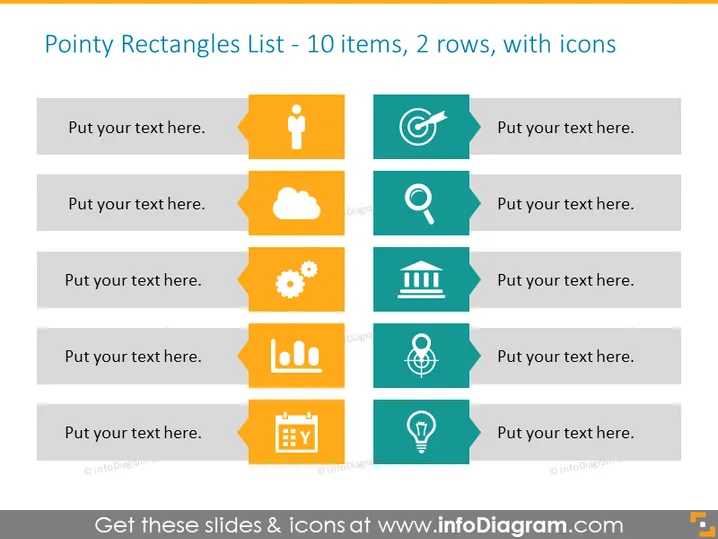
Pointy Rectangles List - 10 items, 2 rows, with icons
Slide Content
The slide presents a list of items laid out in two rows, each with five pointy rectangles paired with icons. The placeholders suggest an opportunity to insert relevant text. Some examples of the icons include a human figure, a magnifying glass, and a light bulb, suggesting themes of human resources, search or investigation, and ideas or innovation respectively. Each rectangle has a spot for custom text, likely providing details or descriptions associated with the icons.
Graphical Look
- The slide background is white.
- There are ten banners with pointer-like shapes, arranged in two rows of five.
- Each banner features a different icon on the left side, set against a square colored background.
- The colors of these icon backgrounds alternate between a golden yellow and a turquoise blue.
- Next to each icon is a rectangular shaded area in light grey where text can be added.
- Icons represent various concepts such as a person, cloud, gear, building, magnifying glass, target, graph, world, calendar, and light bulb.
- The icon design is flat and straightforward with minimalistic lines and shapes.
The overall look of the slide is modern and clean, with a colorful yet professional appearance. The use of icons, paired with text spaces, provides a visual anchor for each point that makes the content easily scannable.
Use Cases
- Outlining key points in a business strategy or plan.
- Presenting a list of services or features in a product pitch.
- Organizing topics for a training or educational seminar.
- Highlighting steps in a process or stages in project development.
How to Edit
How to edit text & colors

How to expand / shorten diagram

How to Replace Icons in infoDiagram PPT


