
Reviews
Sus gráficos añaden un toque agradable a mis presentaciones y recientemente los usé para una de mis reuniones generales. Su conjunto de herramientas añade profesionalismo a mis diapositivas. En lugar de usar imágenes prediseñadas estándar.
Necesitaba un aspecto fresco para algunas de mis diapositivas. Había intentado encontrar una forma de crear un efecto de pincel, de subrayar, acentuar, añadir algo de color y los marcadores escritos a mano fueron justo lo que necesitaba. Muy fácil de usar, fácil de ajustar el tamaño, cambiar el color. Fue una solución asequible y perfecta, y estoy feliz de recomendarla.
El aspecto nítido y limpio de los gráficos, y el hecho de que me permitiera editar y cambiar fácilmente los colores para que coincidieran con la plantilla fue mi principal razón para comprarlos.
Description
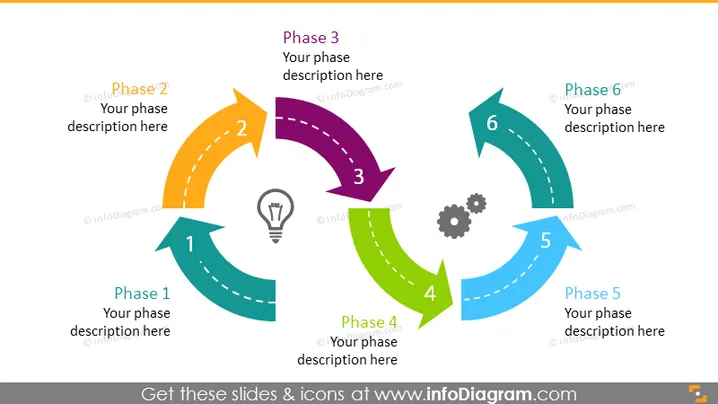
Circular 6 Steps Roadmap Arrow Timeline Diagram
Slide Content:
The PowerPoint slide provides a visual representation of a six-phase project cycle. Each phase is depicted as an arrow looping from one to the next, suggesting a continuous, iterative process. The numbers 1 through 6, along with placeholders for phase descriptions, imply that each step is a crucial component of the overall project. This could reflect stages such as ideation, planning, execution, monitoring, and completion, providing a clear sequence for project development.
Graphical Look:
- Six arrows in different colors arranged in a circular flow, each representing a phase.
- Numerical labels on each arrow, from 1 to 6, indicating the order of the phases.
- Icons within some of the arrows.
- Each arrow points to the tail of the next, emphasizing progression and connectivity between phases.
- The design utilizes a clean, white background that highlights the colorful arrows and icons.
The slide has a dynamic and colorful design, using arrows and icons to effectively communicate the steps of a project cycle in a cyclic and interconnected manner.
Use Cases:
- To present the life cycle of a project in a project management meeting.
- As a visual guide for the steps of product development in a marketing presentation.
- During a team briefing to outline the sequence of operations for a new initiative.
- For educational purposes, to teach about the phases of project management or business development.
How to Edit
How to edit text & colors

How to expand / shorten diagram

How to Replace Icons in infoDiagram PPT


