
Reviews
Ihre Grafiken verleihen meinen Präsentationen eine nette Note, und ich habe sie kürzlich für eines meiner All-Hands-Meetings verwendet. Ihre Toolbox verleiht meinen Folien Professionalität, anstatt Standard-Clipart zu verwenden.
Ich brauchte einen neuen Blick auf einige meiner Folien. Ich habe versucht, einen Weg zu finden, einen Pinselschlag-Effekt zu erzielen, um zu unterstreichen, hervorzuheben, Farbe hinzuzufügen, und die handgeschriebenen Markierungen waren genau das Richtige. Sehr einfach zu bedienen, leicht in der Größe zu ändern, die Farbe zu ändern. Es war eine erschwingliche, perfekte Lösung und ich empfehle sie gerne weiter.
Die klare, saubere Optik der Grafiken und die Tatsache, dass ich die Farben leicht bearbeiten und an die Vorlage anpassen konnte, war mein Hauptgrund für den Kauf.
Description
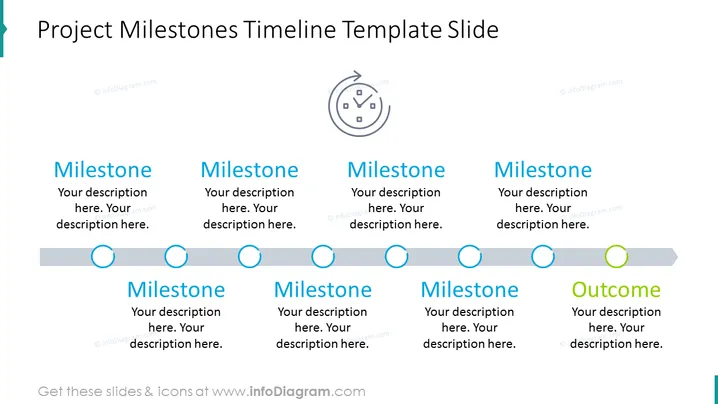
Project Milestones Timeline Template Slide
Slide Content
The slide outlines a timeline for project milestones, presenting a series of labeled stages followed by an outcome. Each 'Milestone' is coupled with placeholder text for a description, signaling where detailed information about the project's key points should be added. This signifies various points of progress within the project lifecycle. The concluding 'Outcome' section represents the final goal or result of the project, suggesting where an overarching description or result should be summarized.
Graphical Look
- The slide background is white with a subtle overlay of grid lines.
- At the top is a dark blue, centered slide title in a large, bold font.
- Below the title is a light grey horizontal timeline bar.
- Overlapping the timeline are six circular icons, five of which are blue and one, indicating the outcome, is green.
- Each circle is connected to a label with a corresponding title, such as "Milestone" or "Outcome," in bold, dark blue text.
- Below every title are two lines of lighter blue placeholder text where descriptions are meant to be inserted.
- A blue vertical line connects each circle on the timeline to its respective label and text.
- There is a clock icon above the timeline, suggesting the concept of time in the context of project planning.
The slide has a clean, professional design with a focus on a sequential flow from left to right. The color scheme is simple, with shades of blue for milestones and green for the final outcome denoting progress and completion.
Use Cases
- To present the major phases or deadlines of a project to a team or stakeholders.
- For tracking progress in project management meetings, illustrating where the team currently stands.
- During a project proposal or kickoff meeting to outline anticipated project benchmarks.
- As a visual aid in status reports to investors or executives, demonstrating stages and expected outcomes.
How to Edit
How to edit text & colors

How to expand / shorten diagram

How to Replace Icons in infoDiagram PPT


