
Reviews
Vos graphiques ajoutent une belle touche à mes présentations et je les ai récemment utilisés pour l'une de mes réunions générales. Votre boîte à outils ajoute du professionnalisme à mes diapositives. Au lieu d'utiliser des cliparts standards.
J'avais besoin d'un nouveau regard sur certaines de mes diapositives. J'ai essayé de trouver un moyen de créer un effet de pinceau, de souligner, d'accentuer, d'ajouter de la couleur et les marqueurs manuscrits étaient exactement ce qu'il fallait. Très facile à utiliser, facile à ajuster la taille, à changer la couleur. C'était une solution abordable et parfaite et je suis heureux de la recommander.
L'aspect net et épuré des graphiques, et le fait qu'il m'ait permis d'éditer et de changer facilement les couleurs pour les adapter au modèle, ont été les principales raisons de mon achat.
Description
Project Plan Timeline Roadmap Flat Hills Picture
Slide Content:
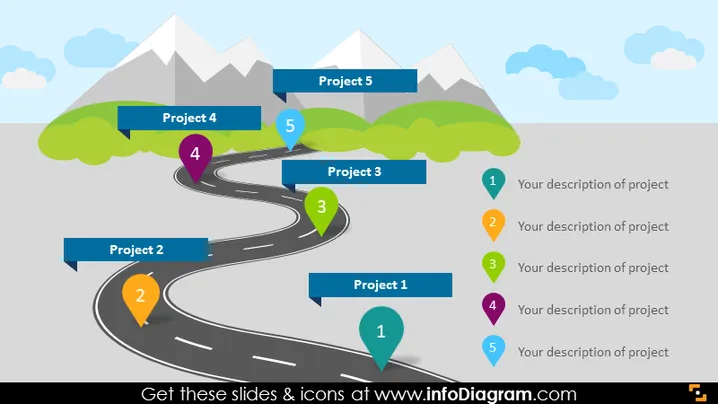
The PowerPoint slide visually portrays a project management or strategic planning concept with five key projects, steps, or stages. Each is represented by a numbered pin placed along a winding road that leads to a mountain peak, symbolizing the journey towards achieving goals or completing projects. The numbers from 1 to 5, along with the labels "Project 1" to "Project 5," suggest a sequential progression, implying that each step is a prerequisite for the next on the path to success.
Graphical Look:
- A curvy road depicted in a three-dimensional perspective, winding towards a mountain range in the background.
- Numbered location pins (1-5) in different colors are placed along the road, corresponding to the project stages.
- Stylized trees and bushes in green, along with white mountain peaks and light blue sky with clouds, compose the background.
- The road has dashed lines, enhancing the visual metaphor of a journey or path.
The slide has a playful and engaging aesthetic, using vibrant colors and a landscape scene to create a narrative of progress and aspiration.
Use Cases:
- To outline the phases of a project's development in a kickoff presentation.
- In a progress report to visualize the completion of project stages and the next steps.
- During an educational session to describe a step-by-step approach to achieving a goal.
- As part of a motivational talk to illustrate the journey toward achieving business milestones.
How to Edit
How to edit text & colors

How to expand / shorten diagram

How to Replace Icons in infoDiagram PPT


