

Your graphics add a nice touch to my presentations and I recently used them for one of my all-hands meetings. Your toolbox adds professionalism to my slides. Instead of using standard clipart.
Claude Jones, Director of Engineer, @Walmartlabs, USA

Your graphics add a nice touch to my presentations and I recently used them for one of my all-hands meetings. Your toolbox adds professionalism to my slides. Instead of using standard clipart.
Claude Jones, Director of Engineer, @Walmartlabs, USA
I needed a fresh look at some of my slides. I've tried to find a way to create a paintbrush effect, to underline, accentuate, add some color and the handwritten markers were just the things. Very easy to use, easy to size, change the color. It was an affordable, perfect solution and I'm happy to recommend it.
Anonymous, US
The crisp, clean look of the graphics, and the fact that it allowed me to easily edit and change the colors to match the template was my main reason for purchasing them.
Brandie Jenkins, E-learning Developer, USA
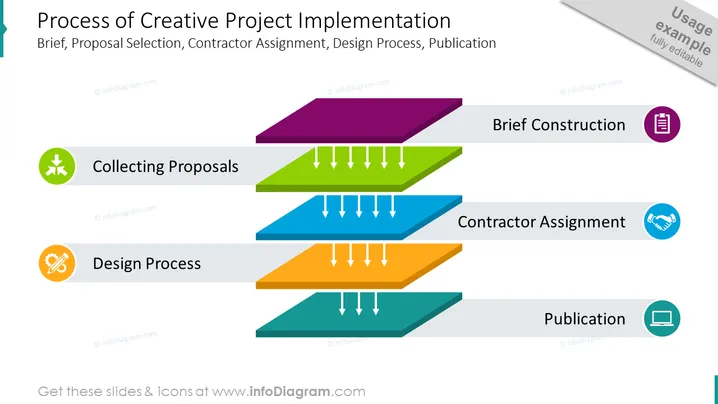
The slide illustrates the stages of a creative project implementation process. It begins with "Collecting Proposals," which likely involves gathering various project ideas or bids. This is followed by "Brief Construction," where a detailed plan or proposal is put together. Next in the sequence is "Contractor Assignment," signifying the selection of a party to execute the project. The penultimate phase is the "Design Process," indicating the stage where the project is given form and developed. The final step is "Publication," marking the completion and distribution of the project.
The slide has a structured, professional, yet dynamic appearance thanks to its 3D bars and color coding that guides the viewer through the project process steps. The use of icons and directional arrows creates a flow that is easy to follow and visually engaging.



