
Reviews
Your slides are my "secret sauce" when it comes to presenting my ideas to clients. I save a lot of time.
J'avais un délai de livraison à respecter et je n'avais pas le temps de créer une variété de modèles de diapositives. Infodiagram m'a proposé des options faciles à télécharger et à personnaliser en fonction de mes besoins !
Vos diapositives suscitent souvent de précieux commentaires et idées de la part de mon équipe, ce qui améliore les diapositives finales.
Description
Project Goal Completion Speedometer
Slide Content
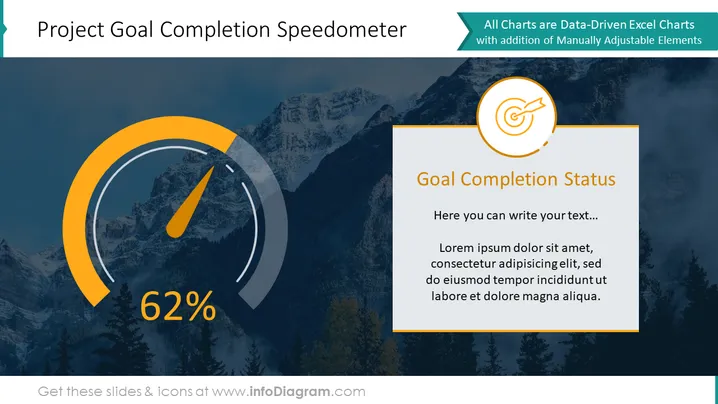
The slide presents a progress indicator resembling a speedometer, showing that a project goal is 62% complete. This visual metaphor for tracking the progress of goals or objectives is titled "Goal Completion Status." Next to the speedometer graphic, a content area titled "Goal Completion Status" provides a placeholder for explanatory text or further details on the project's progress. The speedometer element serves as an engaging and immediate way to communicate the level of completion, which is a critical piece of information for project stakeholders to assess progress at a glance.
Graphical Look
- The background features a darkened photograph of a mountain landscape.
- A large gauge or speedometer graphic occupies the left side of the slide, mainly in shades of orange and gray.
- The speedometer includes a needle pointing towards the 62% mark, vividly highlighted in orange with the percentage indicated in large white font.
- A circular icon with a target and arrow is situated above an orange background strip near the top right corner.
- Adjacent to the speedometer, on the right side, a text box with an orange header is present for additional information.
- The text box header contains the title "Goal Completion Status" in bold white letters.
- Underneath the text box title, there is placeholder text in a lighter shade.
- The overall color scheme revolves around orange, white, and gray, with contrasting elements to draw attention to important information.
The slide has a professional and dynamic aesthetic, leveraging contrasting colors and a clean design to emphasize the project's progress. The integration of text and graphical elements creates a balanced layout that conveys information effectively.
Use Cases
- To visually report project progress in a team meeting, ensuring that the members quickly grasp the level of completion.
- In a stakeholder presentation to illustrate how the project objectives are being met, serving as a key update.
- For project status updates in internal newsletters or reports, where visual aids make data more understandable and engaging.
- During project review segments of workshops or conferences to highlight milestones reached and the journey ahead.
How to Edit
How to edit text & colors

How to expand / shorten diagram

How to Replace Icons in infoDiagram PPT


