
Reviews
Your graphics add a nice touch to my presentations and I recently used them for one of my all-hands meetings. Your toolbox adds professionalism to my slides. Instead of using standard clipart.
I needed a fresh look at some of my slides. I've tried to find a way to create a paintbrush effect, to underline, accentuate, add some color and the handwritten markers were just the things. Very easy to use, easy to size, change the color. It was an affordable, perfect solution and I'm happy to recommend it.
The crisp, clean look of the graphics, and the fact that it allowed me to easily edit and change the colors to match the template was my main reason for purchasing them.
Description
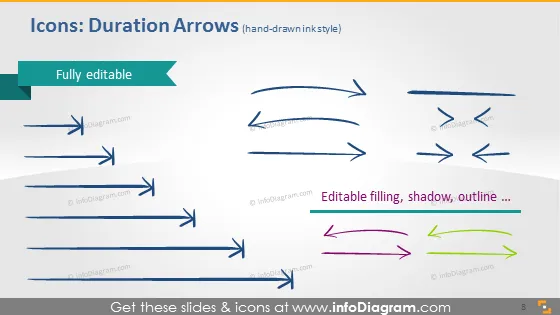
Icons: Duration Arrows (hand-drawn style)
Slide Content
The slide presents a collection of "Duration Arrows" in a hand-drawn style, indicating that they are fully editable. Each arrow has a unique shape or design, such as straight, curved, or looped, designed to denote time duration or sequencing in processes. The bottom right of the slide emphasizes that the arrows have editable filling, shadow, and outline, suggesting customization options for presentation needs. This allows presenters to adapt the visual elements to fit their brand or message effectively.
Graphical Look
- A title in the upper left corner with a teal-colored rectangular shape behind it.
- A set of seven arrow graphics are spread across the slide, each with a different hand-drawn style.
- These arrows vary in design, featuring straight, curved, bidirectional, and looped shapes, demonstrating versatility.
- The arrows are predominantly blue, with two examples in the bottom right that are multi-colored (pink, green, yellow), showing customization possibilities.
- Each arrow is accompanied by a small shadow effect, giving a sense of depth.
- At the bottom right of the slide, there is a text box with a description emphasizing the editable properties of the arrows.
- The slide background is a soft gray, providing a neutral backdrop that makes the arrow icons stand out.
The slide has a clean and simple layout, with colorful icons drawing attention. The visual elements are well-spaced and give the slide a dynamic and creative feel.
Use Cases
- Demonstrating timelines or sequences in project planning and management presentations.
- Highlighting the flow of events or steps in a process during training or educational materials.
- Customizing the arrows to match company branding in marketing or sales presentations.
- Using the arrows to indicate progress or movement in strategic plans or business proposals.
How to Edit
How to edit text & colors

How to expand / shorten diagram

How to Replace Icons in infoDiagram PPT


