
Reviews
Ihre Grafiken verleihen meinen Präsentationen eine nette Note, und ich habe sie kürzlich für eines meiner All-Hands-Meetings verwendet. Ihre Toolbox verleiht meinen Folien Professionalität, anstatt Standard-Clipart zu verwenden.
Ich brauchte einen neuen Blick auf einige meiner Folien. Ich habe versucht, einen Weg zu finden, einen Pinselschlag-Effekt zu erzielen, um zu unterstreichen, hervorzuheben, Farbe hinzuzufügen, und die handgeschriebenen Markierungen waren genau das Richtige. Sehr einfach zu bedienen, leicht in der Größe zu ändern, die Farbe zu ändern. Es war eine erschwingliche, perfekte Lösung und ich empfehle sie gerne weiter.
Die klare, saubere Optik der Grafiken und die Tatsache, dass ich die Farben leicht bearbeiten und an die Vorlage anpassen konnte, war mein Hauptgrund für den Kauf.
Description
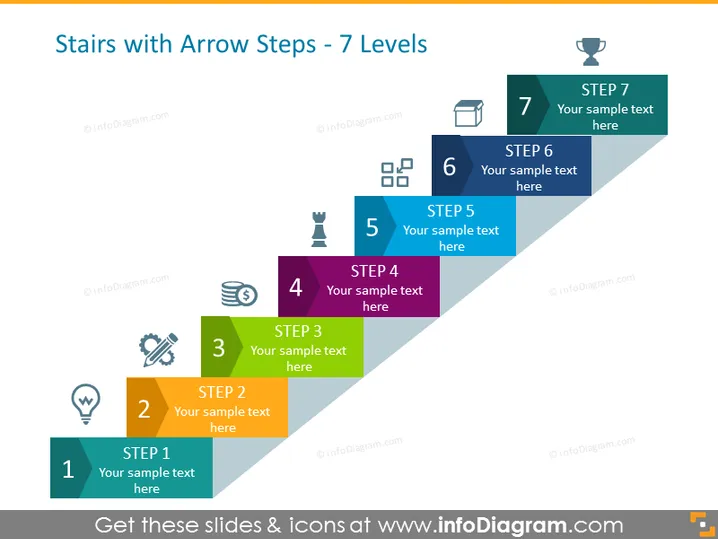
Stairs with Arrow Steps - 7 Levels
Slide Content
The PowerPoint slide illustrates a seven-step process with each step represented as an ascending stair with its own unique color and icon. Starting with step 1 at the bottom, the steps increase in number, leading up to step 7 at the top. Each step is labeled with the step number and provides space for text to explain the particular stage or element of the process being presented. The progression suggested by the stairs implies a methodical rise towards a goal or outcome.
Graphical Look
- A staircase graphic with seven steps depicted as overlapping arrow shapes, ascending from bottom to top.
- Each step has a distinct color ranging from dark blue at the bottom to light gray at the top.
- Accompanying icons for each step, starting with a lightbulb for step 1 and ending with a trophy for step 7.
- Text placeholders next to each step that say "Your sample text here," indicating where the presenter can add specific descriptions.
- Step numbers are large and bold, making a clear distinction between each stage.
- There is a slight drop shadow below each step enhancing the 3D effect of the staircase.
The overall look is clean and modern with a 3D effect that emphasizes progression. The use of distinct colors and icons aids memorability and visual differentiation between the steps.
Use Cases
- Outlining a company's strategic plan or roadmap where each step represents a milestone or phase in the strategy.
- Describing a multi-stage project, detailing the sequential tasks or phases needed for completion.
- Presenting a personal development or training program where each step symbolizes a level of mastery or achievement.
- Explaining a process or workflow in a user guide or manual, making complex procedures easy to understand step by step.
How to Edit
How to edit text & colors

How to expand / shorten diagram

How to Replace Icons in infoDiagram PPT


