
Reviews
Ihre Grafiken verleihen meinen Präsentationen eine nette Note, und ich habe sie kürzlich für eines meiner All-Hands-Meetings verwendet. Ihre Toolbox verleiht meinen Folien Professionalität, anstatt Standard-Clipart zu verwenden.
Ich brauchte einen neuen Blick auf einige meiner Folien. Ich habe versucht, einen Weg zu finden, einen Pinselschlag-Effekt zu erzielen, um zu unterstreichen, hervorzuheben, Farbe hinzuzufügen, und die handgeschriebenen Markierungen waren genau das Richtige. Sehr einfach zu bedienen, leicht in der Größe zu ändern, die Farbe zu ändern. Es war eine erschwingliche, perfekte Lösung und ich empfehle sie gerne weiter.
Die klare, saubere Optik der Grafiken und die Tatsache, dass ich die Farben leicht bearbeiten und an die Vorlage anpassen konnte, war mein Hauptgrund für den Kauf.
Description
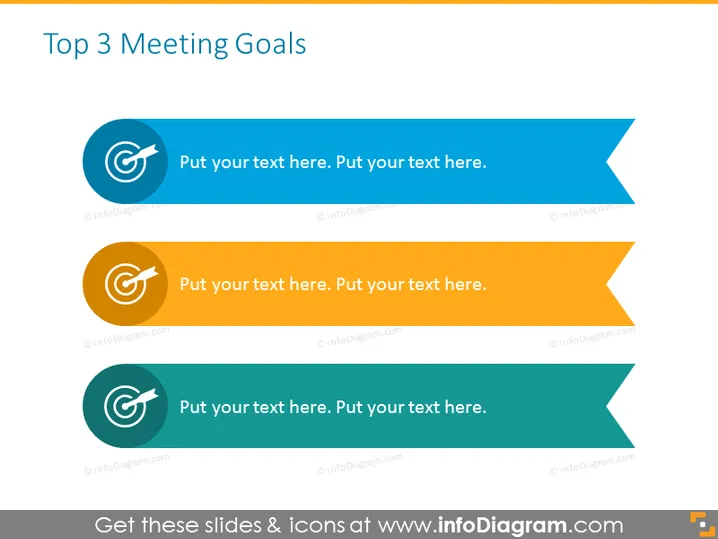
Top 3 Meeting Goals
Slide Content
The slide titled "Top 3 Meeting Goals" appears to be a template for presenting the primary objectives of a meeting. There are three sections, each representing a goal with space for text to detail specific targets. Such goals might involve setting clear expectations, aligning team efforts, or resolving key issues. Expanded descriptions beneath each category would provide further detail, like action items or measurable outcomes expected from the meeting.
Graphical Look
- Three horizontal banners in shades of blue, orange, and teal, each with a circular icon on the left side containing a white target symbol.
- The icons are aligned vertically and are of the same size, providing a uniform look.
- Each banner has a different color, which could signify levels of priority or categories of goals.
- The banners have an angled cut design on the right side, adding dynamism to the overall design.
- Placeholder text, "Put your text here," indicating where a user can add descriptions for each goal.
- A flat design style with a minimal use of shadows, creating a modern and clean aesthetic.
The slide has a clean and professional design with a clear color-coded system to differentiate each goal. The layout is straightforward, focusing the viewer's attention on the information to be filled in for each goal.
Use Cases
- To outline key objectives in a business or project meeting to ensure all attendees are focused and aware of the main points of discussion.
- In a strategic planning session to identify and prioritize the most important targets for a team or organization.
- During workshops or seminars as a visual aid to present and reinforce the top learning or action items.
- For personal or professional development events where setting clear goals is crucial for tracking progress and outcomes.
How to Edit
How to edit text & colors

How to expand / shorten diagram

How to Replace Icons in infoDiagram PPT


