
Reviews
Sus gráficos añaden un toque agradable a mis presentaciones y recientemente los usé para una de mis reuniones generales. Su conjunto de herramientas añade profesionalismo a mis diapositivas. En lugar de usar imágenes prediseñadas estándar.
Necesitaba un aspecto fresco para algunas de mis diapositivas. Había intentado encontrar una forma de crear un efecto de pincel, de subrayar, acentuar, añadir algo de color y los marcadores escritos a mano fueron justo lo que necesitaba. Muy fácil de usar, fácil de ajustar el tamaño, cambiar el color. Fue una solución asequible y perfecta, y estoy feliz de recomendarla.
El aspecto nítido y limpio de los gráficos, y el hecho de que me permitiera editar y cambiar fácilmente los colores para que coincidieran con la plantilla fue mi principal razón para comprarlos.
Description
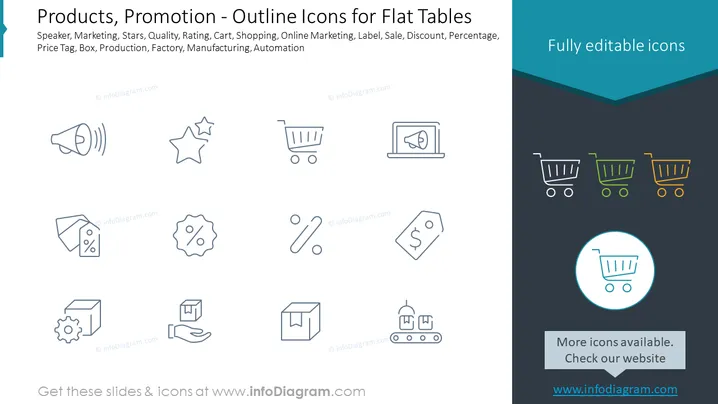
Products, Promotion - Outline Icons for Flat Tables
Slide Content
The PowerPoint slide provides an array of outline icons representing various concepts associated with products and promotion. The icons include a speaker implying marketing or public address, stars indicating quality or ratings, a shopping cart for online shopping or purchasing, a price tag suggesting sales, discounts, or price information, a box possibly for product packaging or shipping, a gear within a box representing production or manufacturing processes, and a factory which may denote industrial production or automation.
Graphical Look
- The slide has a dark background with a lighter, turquoise strip at the top and bottom.
- Two headers are displayed in white and turquoise text on the dark and turquoise background, respectively.
- There are three rows and three columns of icons, each one representing a different concept related to marketing and product promotion.
- Icons are simple, symmetrically placed, and designed with an outline aesthetic.
- They are evenly distributed across the slide with sufficient spacing to ensure visual clarity.
- A single icon at the bottom right is highlighted with a turquoise circle and a small rectangular caption below it.
The slide features a clean and minimalistic design with a professional color palette that aids the focus on the icons themselves.
Use Cases
- Presenting marketing strategies in a business meeting, giving a clear visual reference for each strategy component.
- Enhancing sections of a marketing proposal with relevant icons to quickly convey ideas and make the document more engaging.
- Using during workshops or training sessions to illustrate different concepts of product promotion and marketing.
- Incorporating in a sales dashboard or presentation to symbolize various metrics, like customer engagement, sales channels, or production status.
How to Edit
How to edit text & colors

How to expand / shorten diagram

How to Replace Icons in infoDiagram PPT


