
Reviews
Your graphics add a nice touch to my presentations and I recently used them for one of my all-hands meetings. Your toolbox adds professionalism to my slides. Instead of using standard clipart.
I needed a fresh look at some of my slides. I've tried to find a way to create a paintbrush effect, to underline, accentuate, add some color and the handwritten markers were just the things. Very easy to use, easy to size, change the color. It was an affordable, perfect solution and I'm happy to recommend it.
The crisp, clean look of the graphics, and the fact that it allowed me to easily edit and change the colors to match the template was my main reason for purchasing them.
Description
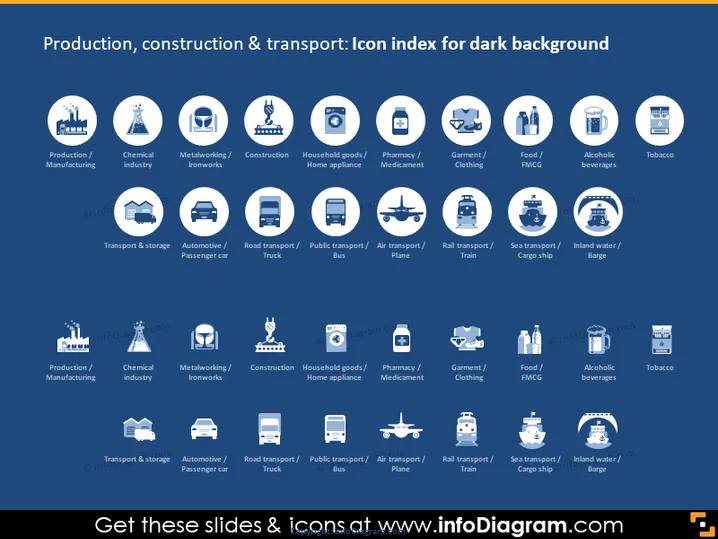
Production, construction & transport: Icon index for dark background
Slide Content
The slide appears to be a visual index of icons related to production, construction, and transport sectors against a dark background. There are several rows of icons, each representing different categories such as Production/Manufacturing, Chemical Industry, Metalworking/Ironworks, Construction, and various transportation modes like Automotive/Passenger car, and Air transport/Plane. These icons are purposed to categorize and visually represent different segments within these sectors, aiding in quick visual recognition.
Graphical Look
- The slide background is dark, enhancing the contrast for the lighter colored icons and text.
- White and blue icons are used for visual representation of various industries and transportation methods.
- Each icon is accompanied by a short descriptive label in white, centered below the icon.
- The icons are arranged in a grid layout, with equal spacing between each icon and its label.
- The slide uses a sans-serif font that is clean and easy to read against the dark background.
- Icons depict stylized representations of factories, vehicles, and other industrial symbols.
The slide has a professional and modern appearance, with a strong visual contrast that makes the content stand out. The consistent use of colors and icon styles gives the slide a cohesive design.
Use Cases
- As a quick visual reference in business presentations to identify different sectors of industry and transport.
- In training materials for employees to familiarize them with various divisions within a company.
- For marketing materials to visually communicate the scope of a company's services or product lines.
- In reports to visually categorize different segments of market analysis or research findings.
How to Edit
How to edit text & colors

How to expand / shorten diagram

How to Replace Icons in infoDiagram PPT


