
Reviews
Your graphics add a nice touch to my presentations and I recently used them for one of my all-hands meetings. Your toolbox adds professionalism to my slides. Instead of using standard clipart.
I needed a fresh look at some of my slides. I've tried to find a way to create a paintbrush effect, to underline, accentuate, add some color and the handwritten markers were just the things. Very easy to use, easy to size, change the color. It was an affordable, perfect solution and I'm happy to recommend it.
The crisp, clean look of the graphics, and the fact that it allowed me to easily edit and change the colors to match the template was my main reason for purchasing them.
Description
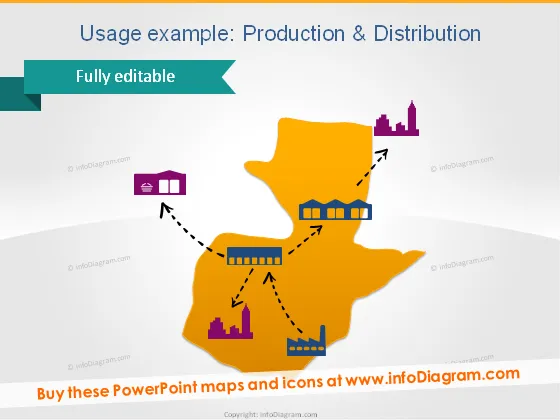
Usage example: Production & Distribution
Slide Content
The slide illustrates the concept of Production and Distribution within a geographical context using a stylized map and icons. The map appears to represent an abstract region with connections between a factory, a warehouse, and a bar chart indicative of performance metrics. Each icon (factory, warehouse, and performance chart) symbolizes a stage or component in the production and distribution process. The factory likely represents the manufacturing phase, the warehouse signifies storage or logistics, and the bar chart may indicate sales or distribution results.
Graphical Look
- The slide uses a bold color scheme with a bright orange for the map and contrasting dark and light purple for icons and text, respectively.
- A large, abstract map shape dominates the center of the slide.
- Three icons placed on the map: a factory, a warehouse, and a bar chart each indicating different stages of production and distribution.
- Dotted arrows connect the factory to the warehouse and the warehouse to the bar chart, illustrating the flow of goods and information.
- The icons and the arrows have shadows, giving a slight 3D effect and emphasizing the connections between them.
- The slide title is at the top in a large, bold font, with a subtitle below it in a smaller size and different color to differentiate it.
- A ribbon-shaped banner with the text "Fully editable" is placed at the upper left corner, presumably indicating that the slide's content can be customized.
The overall look of the slide is modern and business-like, with a simple yet striking color palette that captures attention. The use of distinct shapes and icons makes the slide easy to understand at a glance.
Use Cases
- Presenting the flow of goods in a company from manufacturing to market in internal strategy meetings.
- Illustrating the supply chain process to potential investors or partners in business proposals.
- Using in educational settings, such as business courses, to explain production and distribution principles.
- Demonstrating a company's operational structure during trade shows or conferences.
How to Edit
How to edit text & colors

How to expand / shorten diagram

How to Replace Icons in infoDiagram PPT


