
Reviews
Your graphics add a nice touch to my presentations and I recently used them for one of my all-hands meetings. Your toolbox adds professionalism to my slides. Instead of using standard clipart.
I needed a fresh look at some of my slides. I've tried to find a way to create a paintbrush effect, to underline, accentuate, add some color and the handwritten markers were just the things. Very easy to use, easy to size, change the color. It was an affordable, perfect solution and I'm happy to recommend it.
The crisp, clean look of the graphics, and the fact that it allowed me to easily edit and change the colors to match the template was my main reason for purchasing them.
Description
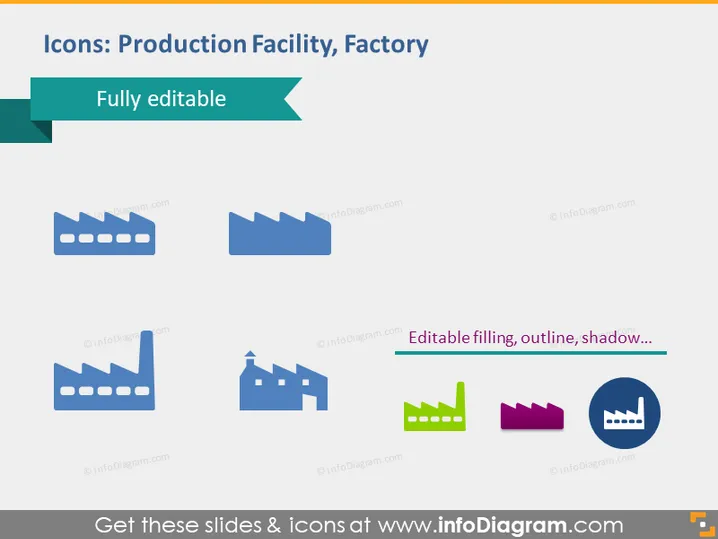
Icons: Production Facility, Factory
Slide Content
The PowerPoint slide presents a variety of icons representing production facilities or factories. These icons appear customizable, indicated by the phrase "Fully editable," which means one can adjust the icons' visual properties, such as color or size. The icons differ in design, showcasing different styles of factory buildings, which likely correspond to various types of industrial operations or manufacturing processes.
Graphical Look
- The background of the slide is plain white, providing a clean visual space for the icons.
- There are six icons displayed in two rows; each row contains three icons.
- Each icon depicts a stylized version of a factory or industrial building with features such as smokestacks or industrial structures.
- The colors of the icons vary, with some in solid shades of blue or green, and others featuring multiple colors.
- One of the icons stands out with a distinct drop shadow effect.
- A ribbon banner in the top-left corner with the text "Fully editable" suggests that these icons can be modified.
- Above the bottom row of icons, there's a black horizontal line with the text "Editable filling, outline, shadow..." implying that these visual elements of the icons are customizable.
The slide has a clean, professional, and straightforward design focused on the factory icons. The visual arrangement is balanced, making it easy to compare the different icon representations.
Use Cases
- To visualize different types of production facilities in a company presentation.
- For illustrating locations of factories in a supply chain or logistics overview.
- In educational materials discussing industrial design or manufacturing processes.
- As part of a graphical user interface within software or digital applications related to industrial management or facility operations.
How to Edit
How to edit text & colors

How to expand / shorten diagram

How to Replace Icons in infoDiagram PPT


