
Reviews
Sus gráficos añaden un toque agradable a mis presentaciones y recientemente los usé para una de mis reuniones generales. Su conjunto de herramientas añade profesionalismo a mis diapositivas. En lugar de usar imágenes prediseñadas estándar.
Necesitaba un aspecto fresco para algunas de mis diapositivas. Había intentado encontrar una forma de crear un efecto de pincel, de subrayar, acentuar, añadir algo de color y los marcadores escritos a mano fueron justo lo que necesitaba. Muy fácil de usar, fácil de ajustar el tamaño, cambiar el color. Fue una solución asequible y perfecta, y estoy feliz de recomendarla.
El aspecto nítido y limpio de los gráficos, y el hecho de que me permitiera editar y cambiar fácilmente los colores para que coincidieran con la plantilla fue mi principal razón para comprarlos.
Description
Production & construction
Slide Content
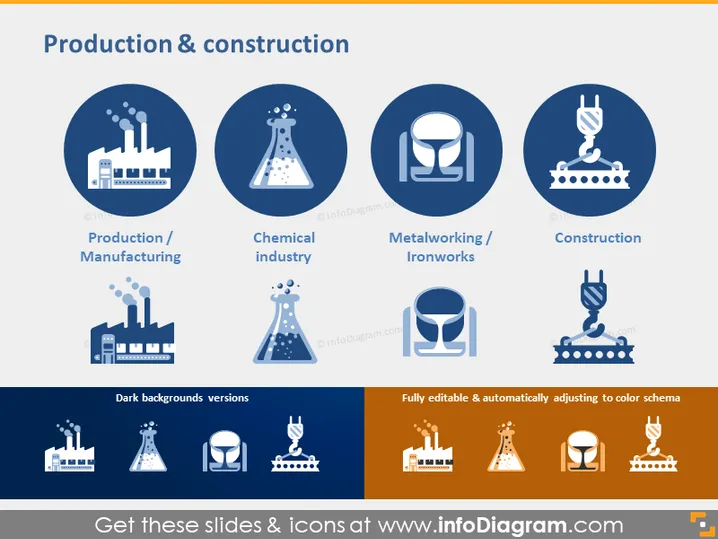
The slide is titled "Production & construction" and presents four categories within this sector. The categories are "Production / Manufacturing," with an icon of a factory denoting the production of goods; "Chemical industry," represented by a flask, indicating laboratories or chemical production facilities; "Metalworking / Ironworks," symbolized by a smithing tool and anvil, referring to the shaping and forging of metal; and "Construction," depicted with a crane, highlighting the industry involved in constructing buildings and infrastructure.
Graphical Look
- The slide has a clean and professional design with a navy blue and white color scheme.
- There are four main circular icons in navy blue with white pictograms, each representing different aspects of the production and construction industry.
- Below the circular icons, there are labels for each icon in navy blue text against a white background, providing context to the icons.
- The bottom of the slide has two color variants of the icons, one set on a dark navy background for contrast and the other set on an orange background indicating editability.
- To the left, text indicates "Dark backgrounds versions," and to the right, a text box states, "Fully editable & automatically adjusting to color schema," hinting at the customizability of the icons.
The slide has a harmonious and balanced visual composition, with a clear division between the icon set and explanatory text. The use of color variation emphasizes the adaptability of the icon designs to different presentation themes.
Use Cases
- To introduce various sectors within the production and construction industry during a business or academic presentation.
- As part of a training module to explain the different aspects and job roles in production and construction environments.
- Within a marketing pitch to outline a company's expertise or services within these industries.
- To visually summarize the types of projects a construction or manufacturing company might be involved in, during stakeholder meetings or investment discussions.
How to Edit
How to edit text & colors

How to expand / shorten diagram

How to Replace Icons in infoDiagram PPT


