
Reviews
Your graphics add a nice touch to my presentations and I recently used them for one of my all-hands meetings. Your toolbox adds professionalism to my slides. Instead of using standard clipart.
I needed a fresh look at some of my slides. I've tried to find a way to create a paintbrush effect, to underline, accentuate, add some color and the handwritten markers were just the things. Very easy to use, easy to size, change the color. It was an affordable, perfect solution and I'm happy to recommend it.
The crisp, clean look of the graphics, and the fact that it allowed me to easily edit and change the colors to match the template was my main reason for purchasing them.
Description
Product
Slide Content
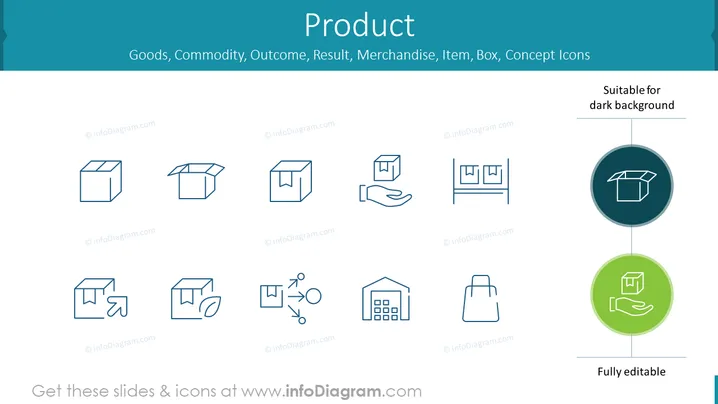
The PowerPoint slide titled "Product" focuses on various conceptual icons related to goods and merchandise. These icons visualize concepts, such as a basic box representing a packaged product, an open box indicating an unpackaged item, a product on a hand conceptualizing delivery or offering, an arrow pointing at a box signifying logistics or shipping, recycling symbols around a box for sustainability, a building with products for a store or warehouse, and a shopping bag for retail purchase. Each icon serves as a visual shorthand for complex ideas.
Graphical Look
- A clean, teal background color with a gradient that darkens towards the left edge.
- Nine outlined icons, evenly distributed in a three-by-three grid.
- Each icon is a simple line drawing in a monochromatic dark teal color.
- Two larger, colored circular icons are located on the right side, both highlighting a carton box: one in a dark circle for dark backgrounds and one in a green circle indicating editability.
- A line connects the two large circular icons to the word "Fully editable" at the bottom right.
- The font used for the text is modern and sans-serif with all capital letters for the title and mixed case for other descriptive texts.
- Text and icons are organized with ample spacing to ensure a clutter-free and easy-to-read layout.
The overall look of the slide is professional and minimalist, with icons that are designed for straightforward interpretation. The color scheme is consistent, which enhances visual harmony and focus on content.
Use Cases
- To highlight different features or services related to a product in a business presentation.
- To visually represent logistics, sustainability efforts, or retail concepts in a marketing strategy briefing.
- To use as a discussion starter for product lifecycle management or supply chain processes in an educational training.
- To embellish slides in a pitch deck when explaining the various aspects of a new product or service offering.
How to Edit
How to edit text & colors

How to expand / shorten diagram

How to Replace Icons in infoDiagram PPT


