
Reviews
Ihre Grafiken verleihen meinen Präsentationen eine nette Note, und ich habe sie kürzlich für eines meiner All-Hands-Meetings verwendet. Ihre Toolbox verleiht meinen Folien Professionalität, anstatt Standard-Clipart zu verwenden.
Ich brauchte einen neuen Blick auf einige meiner Folien. Ich habe versucht, einen Weg zu finden, einen Pinselschlag-Effekt zu erzielen, um zu unterstreichen, hervorzuheben, Farbe hinzuzufügen, und die handgeschriebenen Markierungen waren genau das Richtige. Sehr einfach zu bedienen, leicht in der Größe zu ändern, die Farbe zu ändern. Es war eine erschwingliche, perfekte Lösung und ich empfehle sie gerne weiter.
Die klare, saubere Optik der Grafiken und die Tatsache, dass ich die Farben leicht bearbeiten und an die Vorlage anpassen konnte, war mein Hauptgrund für den Kauf.
Description
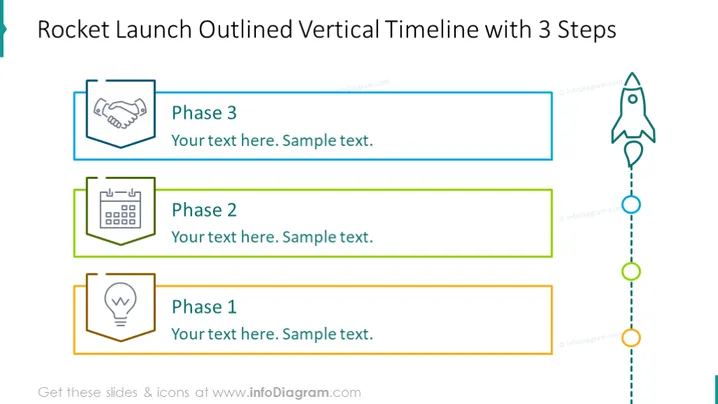
Rocket Launch Outlined Vertical Timeline with 3 Steps
Slide Content
This slide outlines a three-step process using a rocket launch metaphor. "Phase 1" starts at the bottom, symbolized by a light bulb, suggesting an idea generation or project inception phase. "Phase 2" is represented by a calendar icon, implying planning or scheduling. "Phase 3" at the top, shown with a handshake icon, may indicate collaboration or completion. Each phase includes a space for explanatory text.
Graphical Look
- The title is at the top in bold, dark text.
- There are three rectangular text boxes aligned vertically to the left of the slide. Each box is associated with a different colored border: orange, green, and blue.
- Icons are placed to the left of each text box: a light bulb for Phase 1, a calendar for Phase 2, and a handshake for Phase 3.
- A dotted line with circular nodes connects the boxes, running vertically down the middle of the slide.
- A stylized outline of a rocket ship is at the top right, with a dotted line curving towards it from the last node.
- The slide's background is white.
The slide has a clean, modern look with simple line icons and colored accents. The rocket theme adds a sense of progress and ascent, reflecting moving through stages.
Use Cases
- Illustrating project milestones in a business strategy presentation.
- Outlining phases in a product development timeline.
- Visualizing steps in a process improvement plan for an operational excellence meeting.
- Describing chronological steps in a launch event plan for marketing presentations.
How to Edit
How to edit text & colors

How to expand / shorten diagram

How to Replace Icons in infoDiagram PPT


