
Reviews
Ihre Grafiken verleihen meinen Präsentationen eine nette Note, und ich habe sie kürzlich für eines meiner All-Hands-Meetings verwendet. Ihre Toolbox verleiht meinen Folien Professionalität, anstatt Standard-Clipart zu verwenden.
Ich brauchte einen neuen Blick auf einige meiner Folien. Ich habe versucht, einen Weg zu finden, einen Pinselschlag-Effekt zu erzielen, um zu unterstreichen, hervorzuheben, Farbe hinzuzufügen, und die handgeschriebenen Markierungen waren genau das Richtige. Sehr einfach zu bedienen, leicht in der Größe zu ändern, die Farbe zu ändern. Es war eine erschwingliche, perfekte Lösung und ich empfehle sie gerne weiter.
Die klare, saubere Optik der Grafiken und die Tatsache, dass ich die Farben leicht bearbeiten und an die Vorlage anpassen konnte, war mein Hauptgrund für den Kauf.
Description
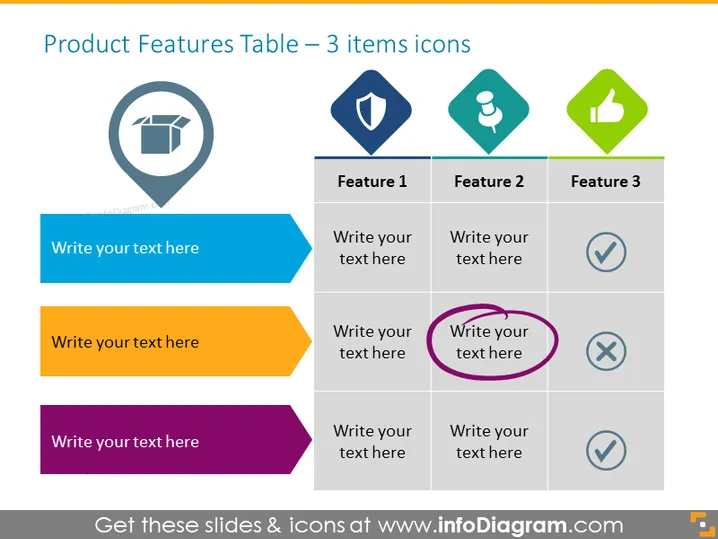
Product Features Table – 3 items icons
Slide Content
This PowerPoint slide is titled "Product Features Table – 3 items icons" and is designed to showcase the characteristics of a product, with space for explanatory text. Each of the three features is associated with a distinct icon: the first feature has a symbol representing what appears to be a packaged product, suggesting it could relate to packaging; the second feature has a shield icon, possibly indicating security; and the third feature has a thumbs-up icon, which might denote user satisfaction or approval.
Graphical Look
- The slide's primary elements consist of a table with three columns and four rows.
- Each column header contains a unique, colored icon: gray, blue, and green, respectively, from left to right.
- Below the icons, text boxes titled "Feature 1," "Feature 2," and "Feature 3" serve as placeholders for feature descriptions.
- The first column beneath each feature header is accompanied by a checkmark or cross symbol, indicating inclusion or exclusion of a feature.
- Colorful arrow-like shapes to the left display three placeholder text areas with a call-to-action tone, each a different color: blue, orange, and purple.
- A circled text placeholder in the bottom right simultaneously highlights a specific point and implies an element of importance or attention.
The overall look of the slide is clean and organized, with a harmonious color scheme that draws attention to specific features and the status of each. The distinct icons and checkmark/cross symbols offer a quick visual reference to the product's attributes and their respective statuses.
Use Cases
- Comparing and contrasting product lines during a sales presentation to highlight the unique aspects of each product.
- Summarizing key features within a product overview section of a business plan or investment pitch.
- Detailing component availability or service inclusions during a customer onboarding or training session.
- Emphasizing the benefits of product upgrades or additional features in a marketing campaing or product announcement.
How to Edit
How to edit text & colors

How to expand / shorten diagram

How to Replace Icons in infoDiagram PPT


