
Reviews
Sus gráficos añaden un toque agradable a mis presentaciones y recientemente los usé para una de mis reuniones generales. Su conjunto de herramientas añade profesionalismo a mis diapositivas. En lugar de usar imágenes prediseñadas estándar.
Necesitaba un aspecto fresco para algunas de mis diapositivas. Había intentado encontrar una forma de crear un efecto de pincel, de subrayar, acentuar, añadir algo de color y los marcadores escritos a mano fueron justo lo que necesitaba. Muy fácil de usar, fácil de ajustar el tamaño, cambiar el color. Fue una solución asequible y perfecta, y estoy feliz de recomendarla.
El aspecto nítido y limpio de los gráficos, y el hecho de que me permitiera editar y cambiar fácilmente los colores para que coincidieran con la plantilla fue mi principal razón para comprarlos.
Description
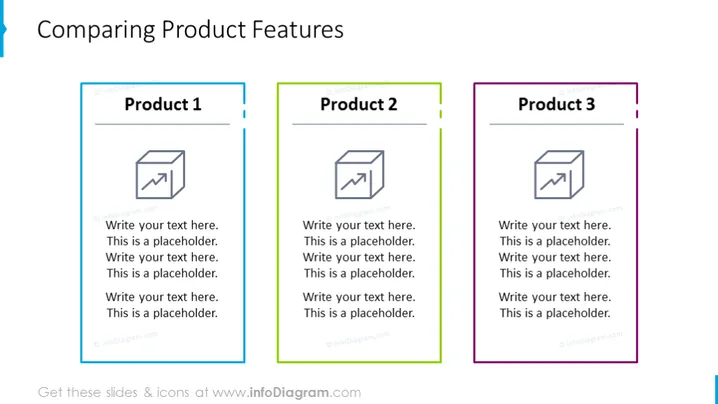
Comparing Product Features
Slide Content
The slide is designed to compare features of three different products. "Product 1" is outlined in blue, "Product 2" in green, and "Product 3" in purple, each containing a placeholder for an image and text. This structured format enables the presenter to concisely present and compare key characteristics or specifications of each product, facilitating a clear and direct comparison for the audience.
Graphical Look
- Three colored boxes aligned horizontally across the slide, each representing a different product.
- Each box has a title bar with the product name and a colored border matching the title bar color.
- Inside each box, there is an icon representing a document or report with a graph, suggesting that details or metrics for the product could be covered.
- Below the icons are placeholder text lines where descriptions or features of the products can be listed.
- The slide background is white, making the colorful product boxes stand out.
The slide has a clean and professional look with a clear focus on comparing the three products. The use of distinct colors for each product segment helps to differentiate between them at a glance.
Use Cases
- During a sales presentation to illustrate the differences and advantages of a company's product line to potential clients.
- For internal team meetings to discuss product development progress or feature enhancement plans.
- In a training or educational setting where features of competitive products are being analyzed and discussed.
- At trade shows or conferences, integrating into an interactive display for booth visitors to explore product comparisons.
How to Edit
How to edit text & colors

How to expand / shorten diagram

How to Replace Icons in infoDiagram PPT


