
Reviews
Ihre Grafiken verleihen meinen Präsentationen eine nette Note, und ich habe sie kürzlich für eines meiner All-Hands-Meetings verwendet. Ihre Toolbox verleiht meinen Folien Professionalität, anstatt Standard-Clipart zu verwenden.
Ich brauchte einen neuen Blick auf einige meiner Folien. Ich habe versucht, einen Weg zu finden, einen Pinselschlag-Effekt zu erzielen, um zu unterstreichen, hervorzuheben, Farbe hinzuzufügen, und die handgeschriebenen Markierungen waren genau das Richtige. Sehr einfach zu bedienen, leicht in der Größe zu ändern, die Farbe zu ändern. Es war eine erschwingliche, perfekte Lösung und ich empfehle sie gerne weiter.
Die klare, saubere Optik der Grafiken und die Tatsache, dass ich die Farben leicht bearbeiten und an die Vorlage anpassen konnte, war mein Hauptgrund für den Kauf.
Description
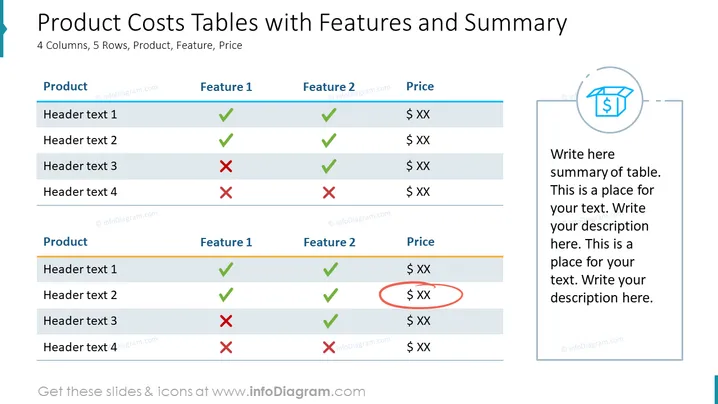
Product Costs Tables with Features and Summary
Slide Content
The slide presents two comparison tables highlighting features and prices of different products. Each table has four columns and five rows, designated for Product names, Feature 1, Feature 2, and Price. Green ticks and red crosses are used to represent the presence or absence of the respective features in the product. "Header text 1 to 4" acts as placeholders for product names or descriptions. A special emphasis is placed on a specific price with a red oval highlight. A summary section is reserved on the right, prompting to write a table summary.
Graphical Look
- The slide's background is white.
- There are two distinct content regions: one for the tables on the left and one for text on the right.
- Two comparison tables have a light blue header row with white text.
- Rows alternate in shading between white and a light grey background for readability.
- Each table row lists a product and its features, with green checkmarks indicating inclusion and red crosses indicating exclusion.
- The Price column features dollar sign symbols followed by "XX" to denote a placeholder for actual prices.
- One price is encircled with a red oval, drawing attention to it.
- To the right of the tables is a circular blue icon with a dollar sign and shopping cart to symbolize costs or shopping.
- A large text area to the right of the icon is bordered and features placeholder text for the user to add a summary of the tables.
The slide uses a clean and professional design with contrasting icons and placeholder texts that visually segment information for clarity. The use of color highlights and different shapes succinctly conveys the status of features across products.
Use Cases
- To compare features and prices of various products during business presentations.
- As a sales tool to highlight the advantages of selected products to potential clients or investors.
- In internal meetings to discuss product development strategies by contrasting current offerings with planned improvements.
- During trade shows or marketing presentations, using the slide to quickly illustrate the benefits and cost-efficiency of products compared to competitors.
How to Edit
How to edit text & colors

How to expand / shorten diagram

How to Replace Icons in infoDiagram PPT


