
Reviews
Vos graphiques ajoutent une belle touche à mes présentations et je les ai récemment utilisés pour l'une de mes réunions générales. Votre boîte à outils ajoute du professionnalisme à mes diapositives. Au lieu d'utiliser des cliparts standards.
J'avais besoin d'un nouveau regard sur certaines de mes diapositives. J'ai essayé de trouver un moyen de créer un effet de pinceau, de souligner, d'accentuer, d'ajouter de la couleur et les marqueurs manuscrits étaient exactement ce qu'il fallait. Très facile à utiliser, facile à ajuster la taille, à changer la couleur. C'était une solution abordable et parfaite et je suis heureux de la recommander.
L'aspect net et épuré des graphiques, et le fait qu'il m'ait permis d'éditer et de changer facilement les couleurs pour les adapter au modèle, ont été les principales raisons de mon achat.
Description
Scrum Meetings – Sprint Review
Slide Content
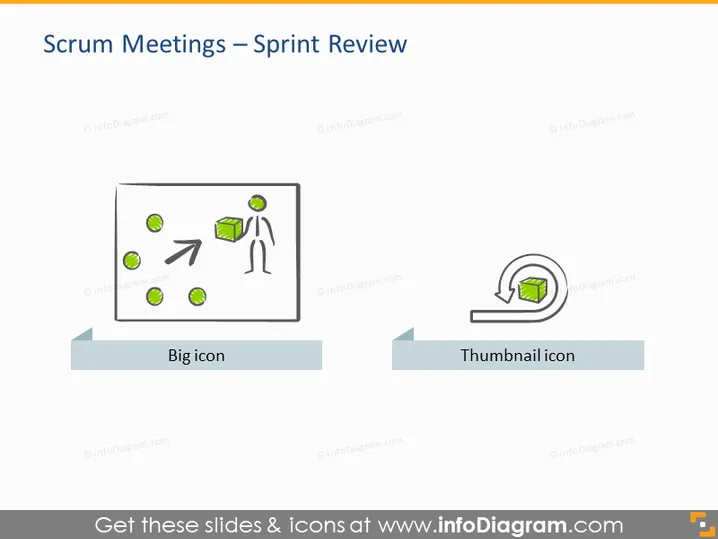
The slide is titled "Scrum Meetings – Sprint Review," indicating a focus on the Sprint Review phase within the Scrum methodology. There are two main visual elements, each labeled: "Big icon" represents a scene with a figure and arrow indicating movement or progress, connoting the review or presentation of work done; the "Thumbnail icon" depicts a circular arrow around a document, suggesting iteration or feedback on a specific item, which is integral to agile processes.
Graphical Look
- A large title at the top of the slide, in a bold, sans-serif font
- Two primary graphics situated horizontally across the slide
- The 'Big icon' features a simplified stick figure next to a box and several circles, with an arrow pointing right
- The 'Thumbnail icon' displays a circular arrow encompassing a page, symbolizing review or repetition
- Both icons are accompanied by text labels, centrally aligned underneath each icon
- Each graphic is placed on a pale, rectangular background bar that gives the appearance of a shadow
The slide has a clean, minimalist design with a limited color palette, predominantly using shades of gray and orange. The icons are stylized and appear friendly and accessible. The overall look is professional and modern, conveying information in a visually appealing manner.
Use Cases
- For presenting the Scrum framework and its components to team members or stakeholders unfamiliar with agile methodologies
- Within a Scrum training session or workshop to elaborate on the purpose and process of the Sprint Review meeting
- During a company-wide meeting to introduce Agile processes and their benefits
- To compare different types of Scrum meetings in a side-by-side layout for clarity and distinction
How to Edit
How to edit text & colors

How to expand / shorten diagram

How to Replace Icons in infoDiagram PPT


